Create report statements
 Updated
by Russell B.
Updated
by Russell B.
Report statements are used to add boilerplate text to the beginning or end of a report in XactRemodel and XactRestore. The statements, along with company information like your logo and company details, are all included in reports.
Note: For assistance with updating company information, see our Company info document. For assistance applying report statements to reports within a project, see the corresponding report documents.
Create new templates
Administrators create new templates using the steps below.
Note: After applying a template within a project, you can customize if needed. The changes affect only the project, not the template.
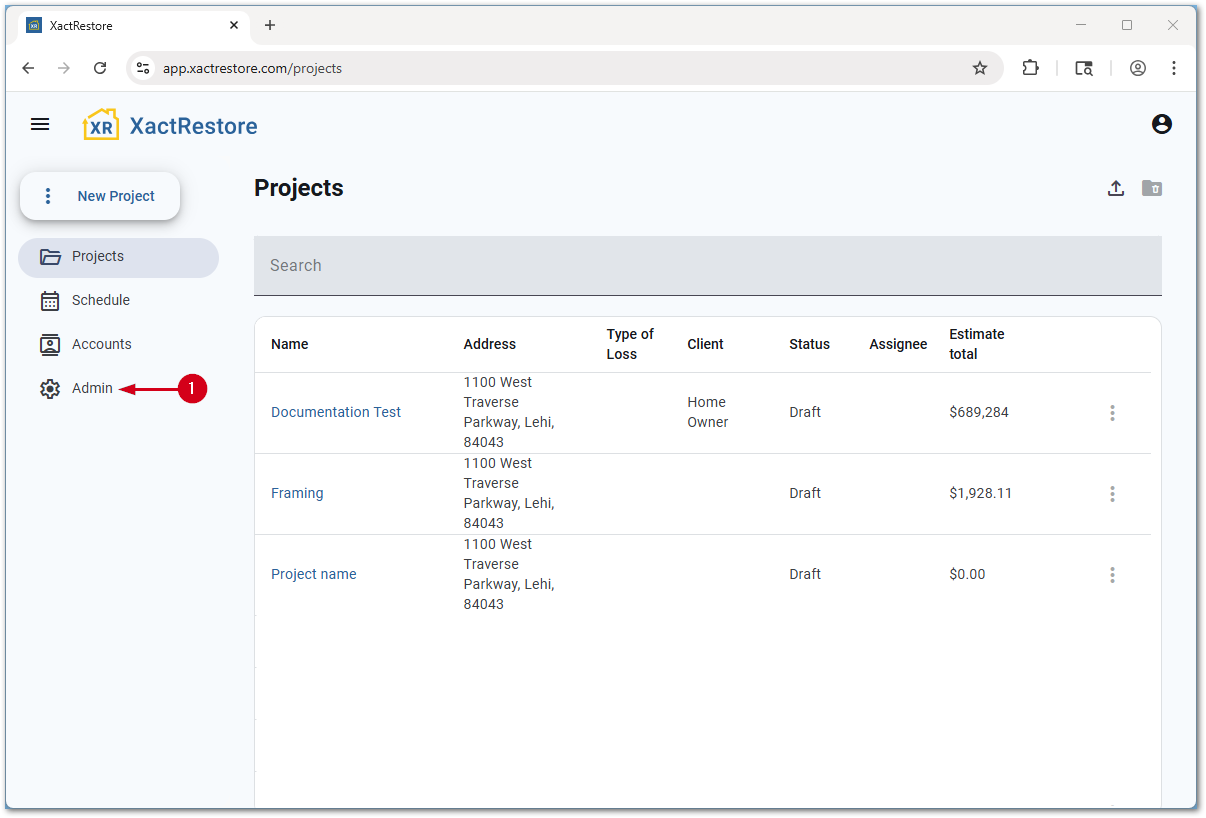
- From the project list, select Admin.
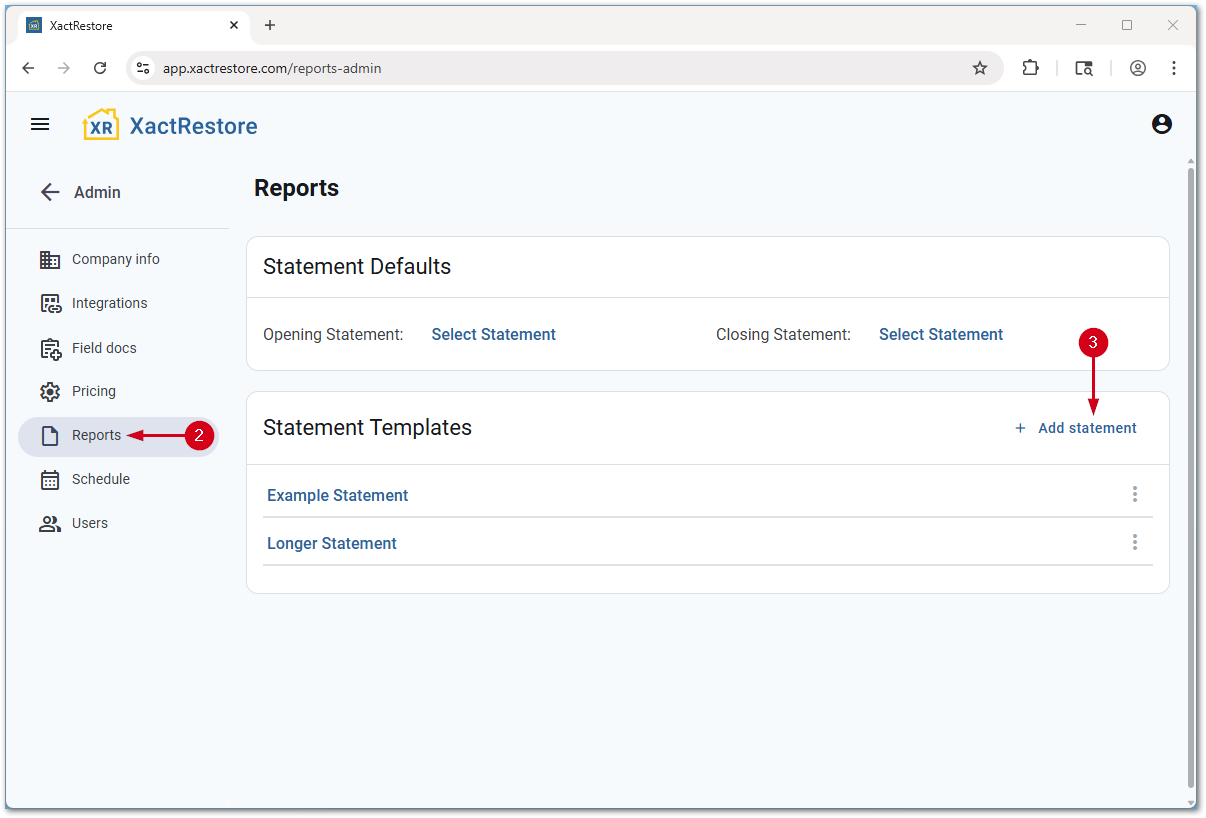
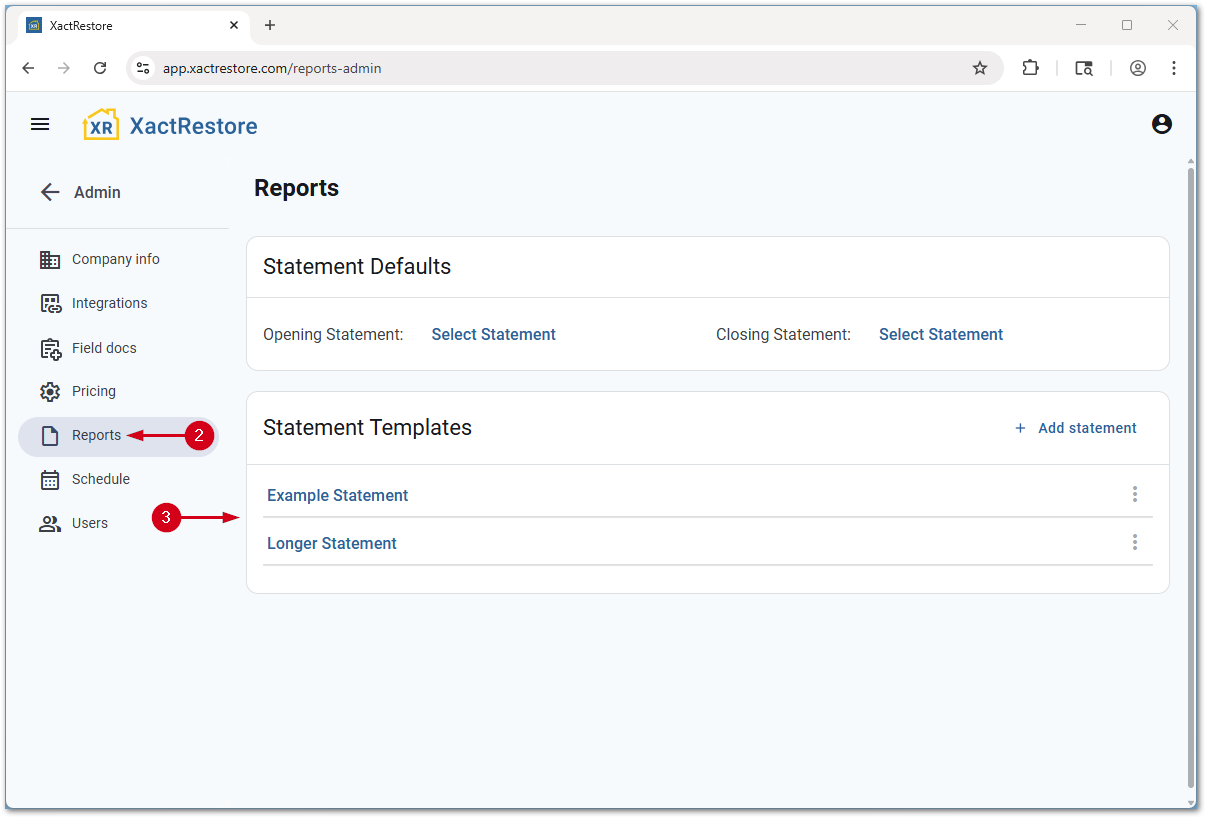
- Select Reports.
- Select Add statement.
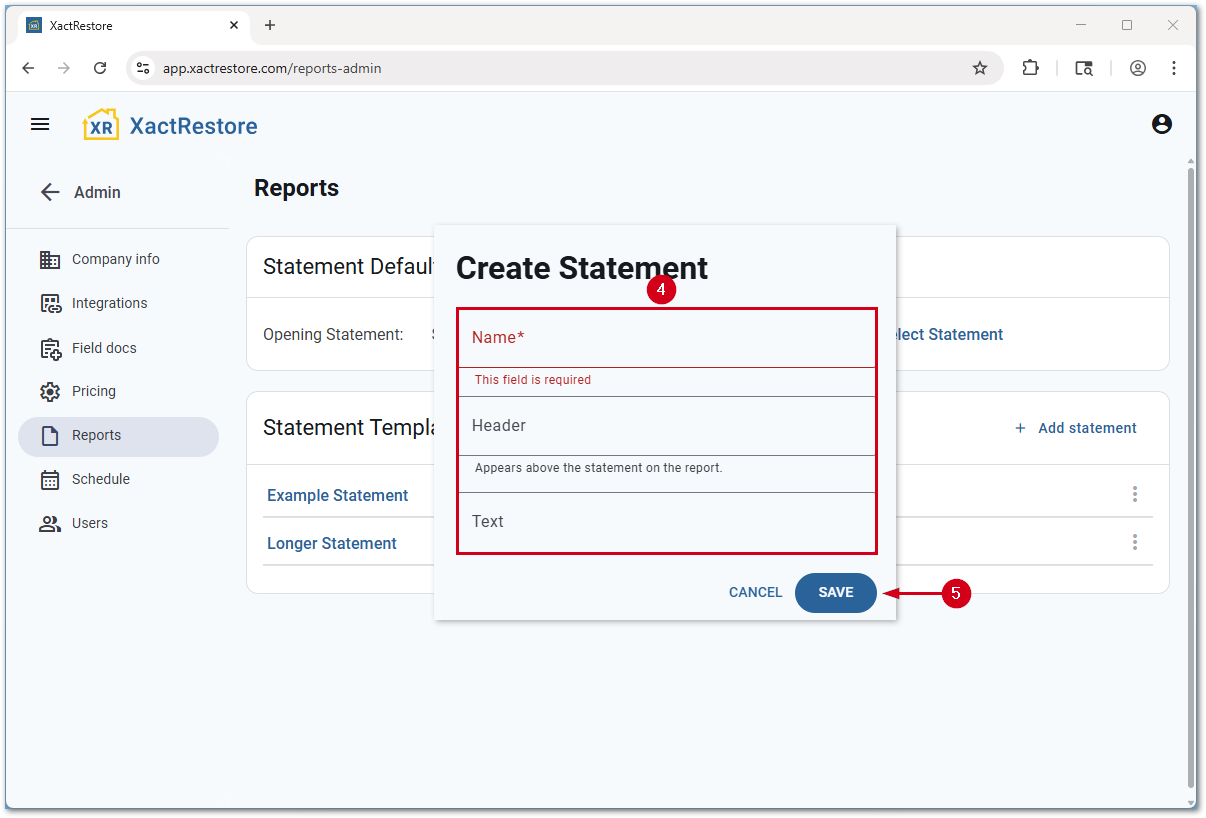
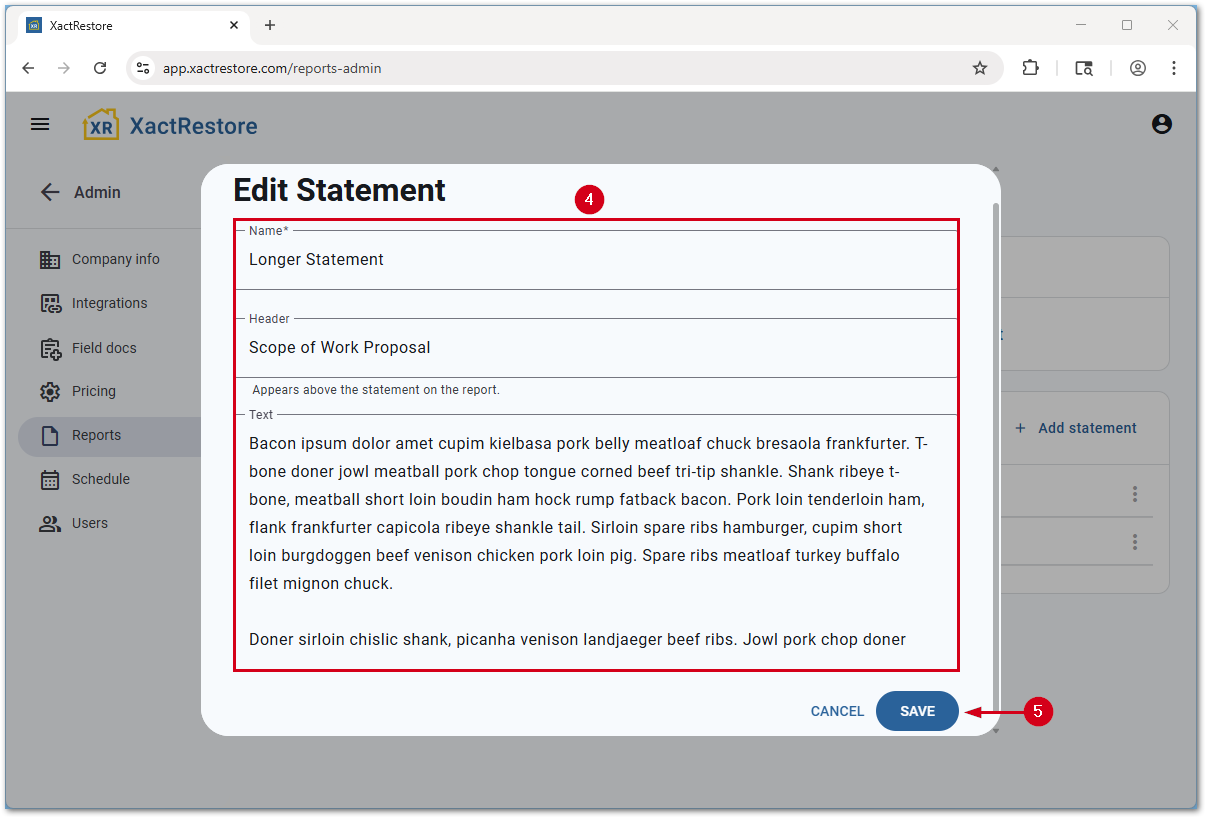
- Fill out the form.
- Name: The name of the template, not used on reports.
- Header: The text that appears above the statement on reports.
- Text: The content of the statement.
Note: Only plain text is accepted; rich text features like bold and underline are not supported.
- Select Save.
Edit existing templates
To edit existing templates, follow these steps.
Note: Changes to templates will not update existing projects until you select a different or no template, then reselect the template.
- From the project list, select Admin.
- Select Reports.
- Select the desired template.
- Make any desired changes.
- Select Save.
Apply default templates
To set default templates for all newly created projects, follow the steps below.
- From the project list, select Admin.
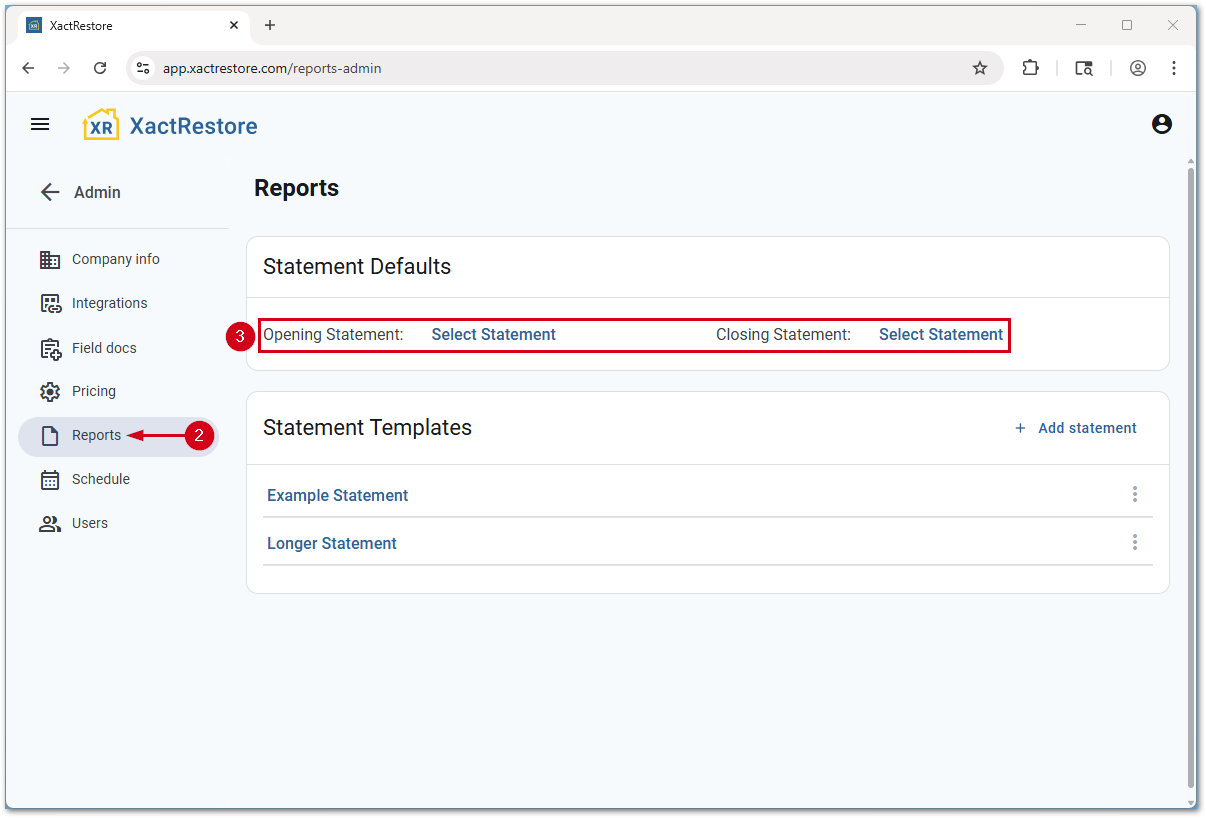
- Select Reports.
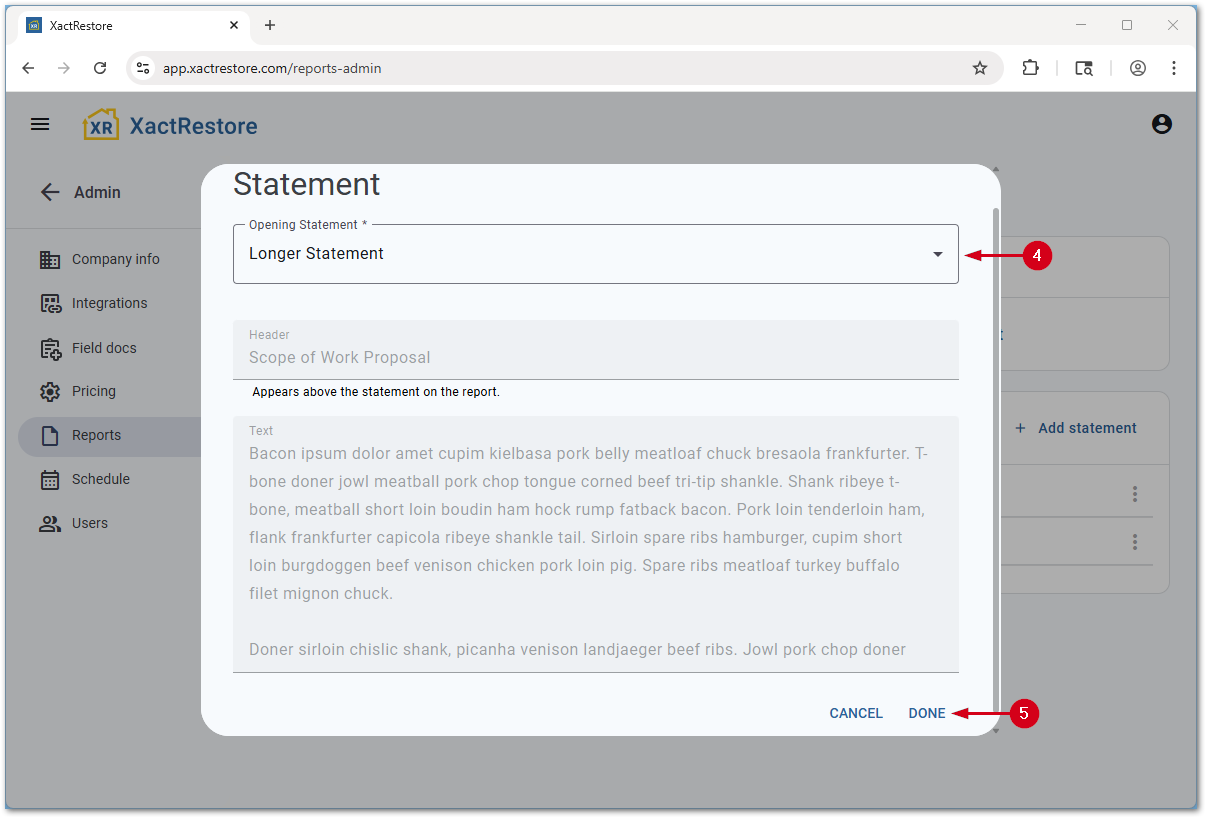
- Select Select Statement next to Opening Statement or Closing Statement.
- Select the desired template from the dropdown menu. A preview of the statement displays.
- Select Done.