Doors
 Updated
by Russell B.
Updated
by Russell B.
XactRemodel and XactRestore Studio support several door types. This document covers how to add them, their properties, their types, and styles.
Add doors
To add doors to a Studio sketch, follow the steps below.
- Within a project, select Studio.
- Select the Doorway icon.
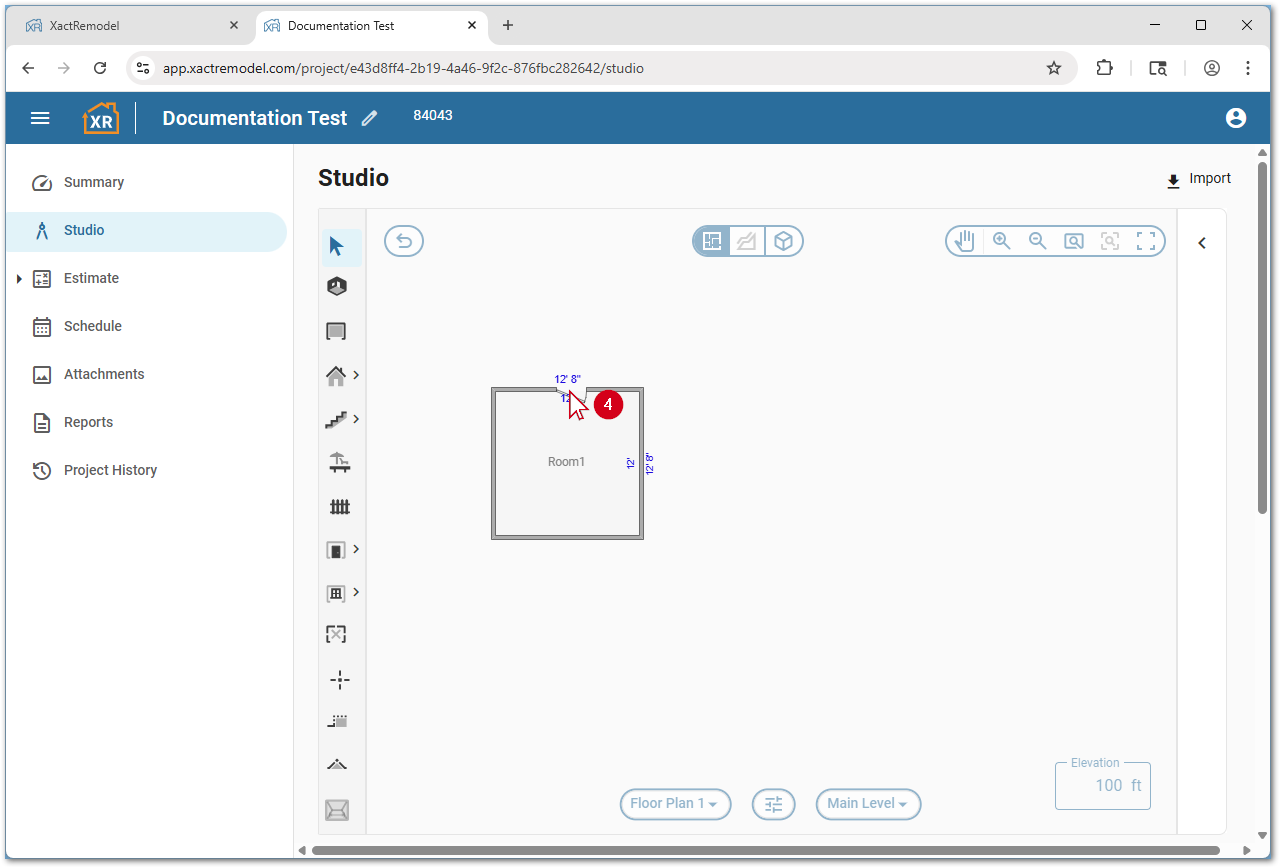
- Hover over the wall at the desired location for the doorway.

- Left click to place the doorway.
Note: To add multiple doorways in a row, press and hold the Control key on the keyboard before placing the first door. To add a wider or narrower door, select and drag to draw the doorway to the desired size.
Note: You can add non-standard doors by selecting the arrow next to the doorway tool instead of the icon. The default door type on new projects is standard; however, once a new door type is selected that will remain the default when selecting the doorway tool again. Alternatively, press the D key on the keyboard to quickly add doorways.
Door properties
Door properties allow doors to be customized. Follow the steps below to access door properties in Studio.
- Within Studio, select the desired door.
- Select the Properties… icon. The Room Properties window opens.
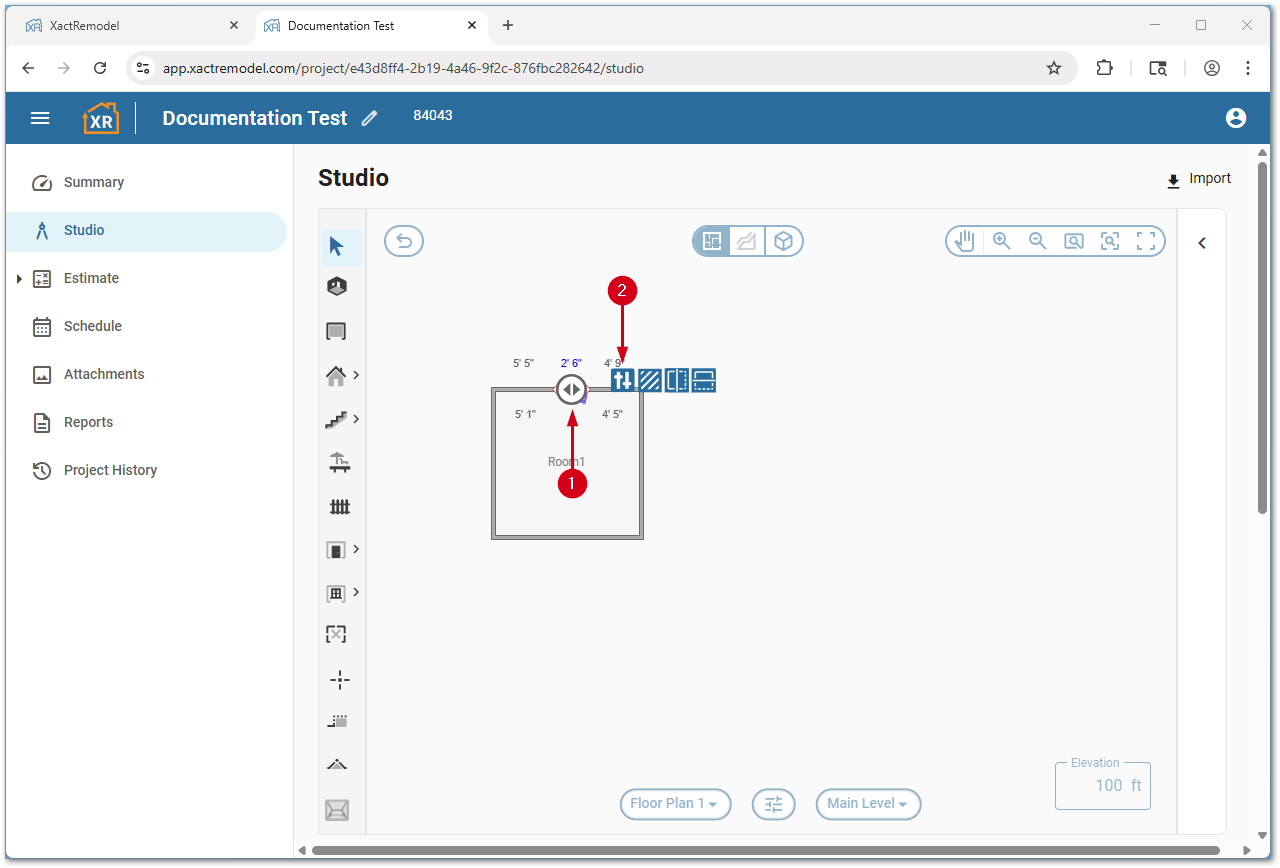
- Make any desired changes.
- Select the X icon to save changes. The Room Properties window closes.
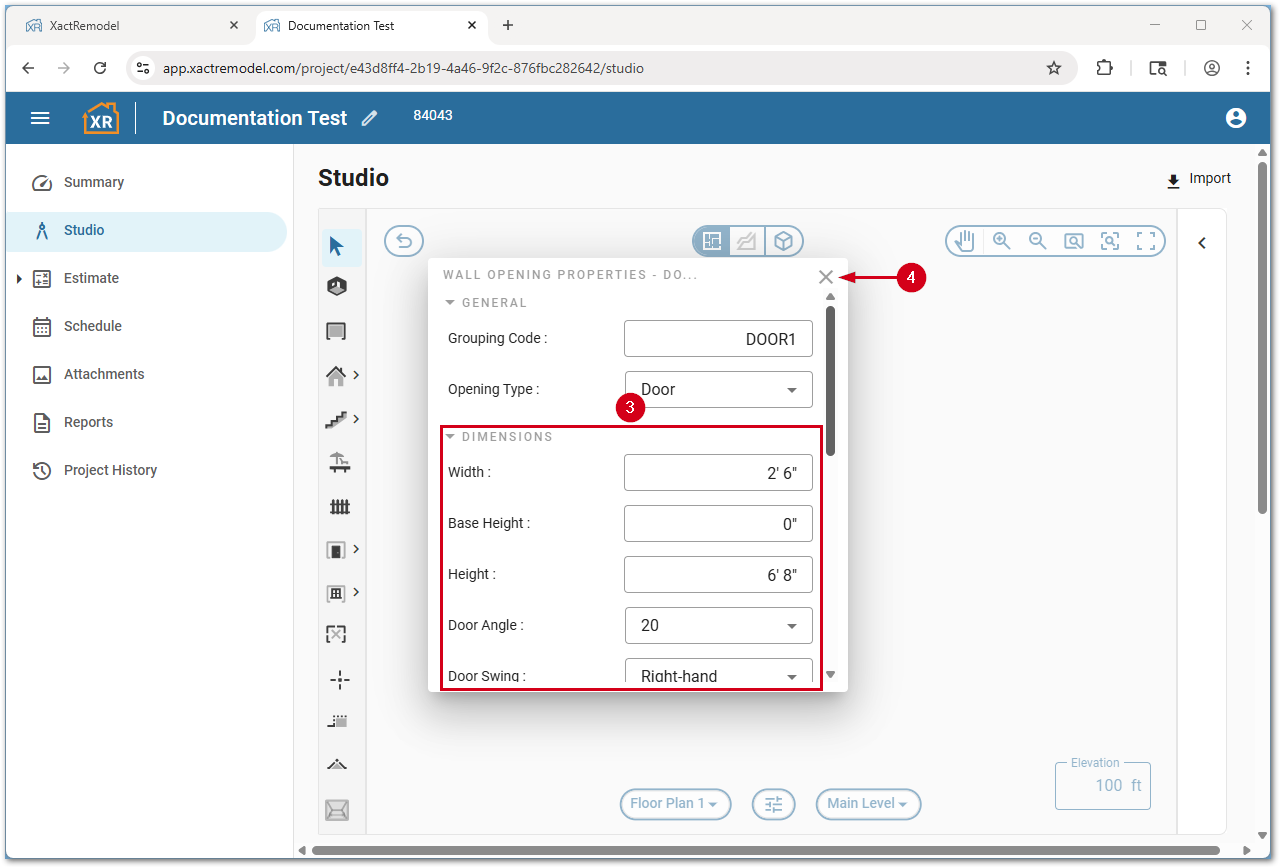
Below is a list of properties available:
Note: Not all door types have all the properties below; for example, overhead doors do not have a door swing property as they do not swing open.
- Dimensions
- Width: Sets the width of the door.
- Base height: Sets the distance from the bottom of the door to the floor.
- Height: Sets the distance from the bottom of the door to the top of the door.
- Door angle: Sets the angle the door is open to in the canvas view.
- Door swing: Sets the door to left-hand or right-hand open.
- Deduct Door: Sets whether to deduct the door opening from calculated variables.
- Deduct door if area ›: Sets the threshold of door size to deduct from calculated variables
- Type and style
- Door type: Sets the door type (standard, bifold, sliding, etc.).
- Door style: Sets the door style (flush, paneled, French, etc.).
- Double door: Sets a door to be a double door.
Select the Click for all variables button to view all variables related to the door.
Door types
The following door types are supported in Studio:
- Bifold
- Dutch
- Gate
Note: Gates are used with fences and cannot be placed on walls.
- Overhead
- Sliding
- Standard
Door styles
The following door styles are supported in Studio:
Note: Not all door types support all door styles; for example, overhead doors cannot be louvered. These styles are visible in 3D view.
- Flush
- French
- Half-louvered
- Louvered
- Paneled