Getting Started
Frequently asked questions (FAQ)
System requirements
Company info
Adjustments in XactRemodel and XactRestore
My Pricing
Line Item and Pricing Data
Create report statements
Create a project
Contact Support
XactRemodel and XactRestore subscription levels
XR Mobile overview
Unable to view quick estimates
Manage users and roles
Custom quick estimates
XactAI
Accounts and Contacts
Projects
Project Overview
Project summary
Reprice a project or change a tax jurisdiction
Export projects to Direct Supplier
Import contacts in XR Mobile
Project history log
Project statuses
Recover deleted projects
Groups
Line Items
Add line items from within an estimate
Reorder and delete line items
Line item details
Line item quantity calculations
Edit components
Add a line item note
Use the Verisk XactRestore connector in Claude
Duplicate line items, groups, floorplans, and projects
AI Estimator
Studio
Getting Started
Studio overview
Share floor plans
Build an estimate
Import image underlays in Studio
Level properties
Manage multiple floor plans in Studio
Reference objects
Tools
View sketch in 3D in Studio
Working with levels
Rename a sketch in XactRemodel and XactRestore Studio
Framing in Studio
Rooms
Room basics
Room properties
Subgroups
Square Break tool
Create a vaulted or attic ceiling
Ceilings
Stairs
Vertex tool
Openings
Roofs
Snap line tool
Zoom controls in Studio
Annotations
Capture floorplans using Sketch AR or Sketch Scan
Add line items in Studio
Rotate an object
Scheduling
Attachments
Reports
Integrations
Release Notes
Account management
Cancel or change a subscription
Account Deletion
Subscribe to XactRemodel or XactRestore
Update account information
Transferring from XactRemodel Desktop
XactRestore
Field docs
Field docs - Admin
Field docs initial job setup
Add levels in Field docs
Add rooms in Field docs
Add equipment in Field docs
Reporting in Field docs
Field Docs completion and final review
Take daily readings in Field docs
Pick up equipment in Field docs
XactRestore now available!
Set project dates
Type of loss
Import Xactimate estimates (ESX) in to XactRemodel and XactRestore
Manage users and roles in XactRemodel and XactRestore
Lead creation in XactRestore
XactRestore Pro integration with XactAnalysis
- All Categories
- XactRestore
- Lead creation in XactRestore
Lead creation in XactRestore
 Updated
by Russell B.
Updated
by Russell B.
Users with XactRestore or XactRestore Pro have a new way to create projects from a new lead intake form. When leads are captured through this process, a customer account, contact, and project are created.
 The lead creation tool is part of the XactRestore and XactRestore Pro subscriptions. To upgrade, please speak with our Sales Department by calling 833-352-9228 between 7:00am – 4:00pm Mountain Time, Monday – Friday.
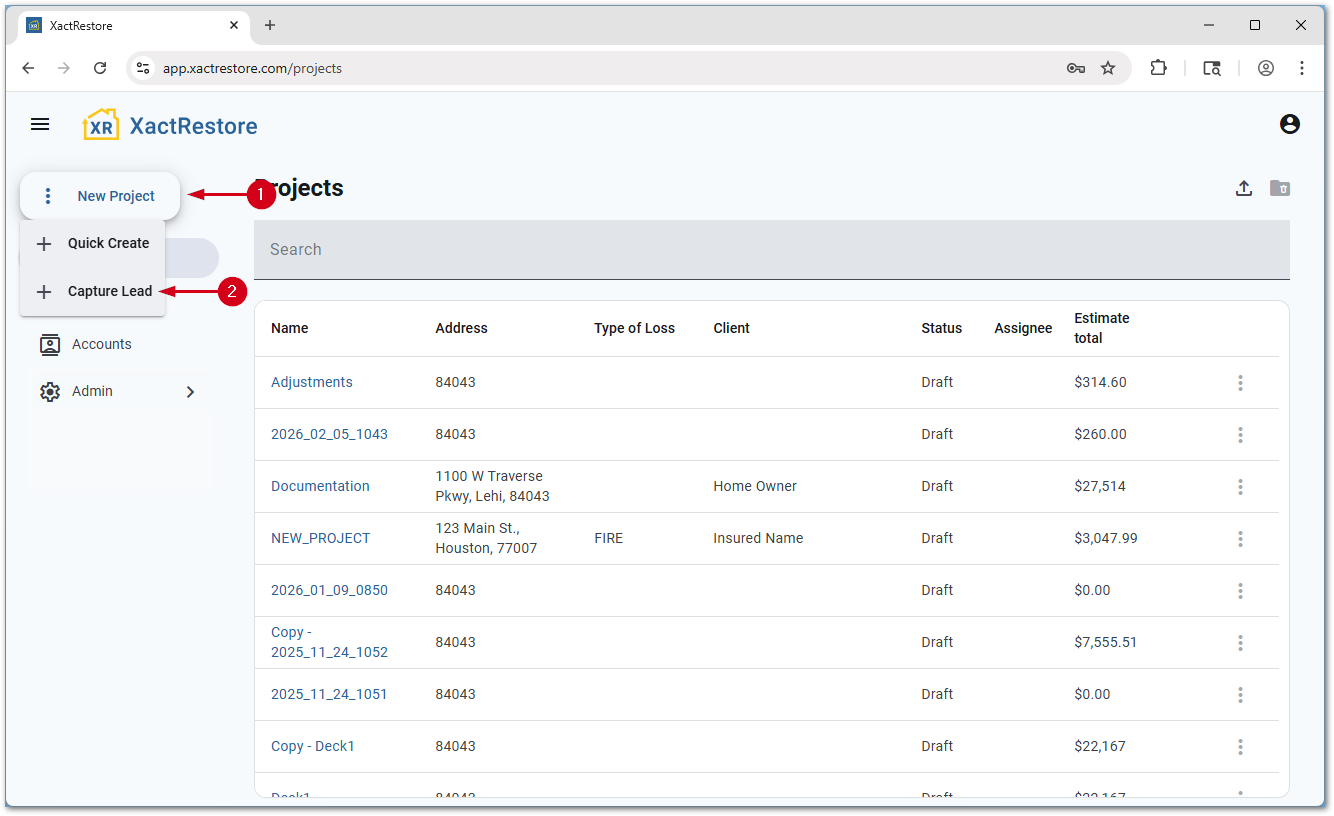
- From the project list, select New Project.
- Select Capture Lead.
Note: You can still add projects with Quick Create instead. For assistance with this, see our Create a project document.
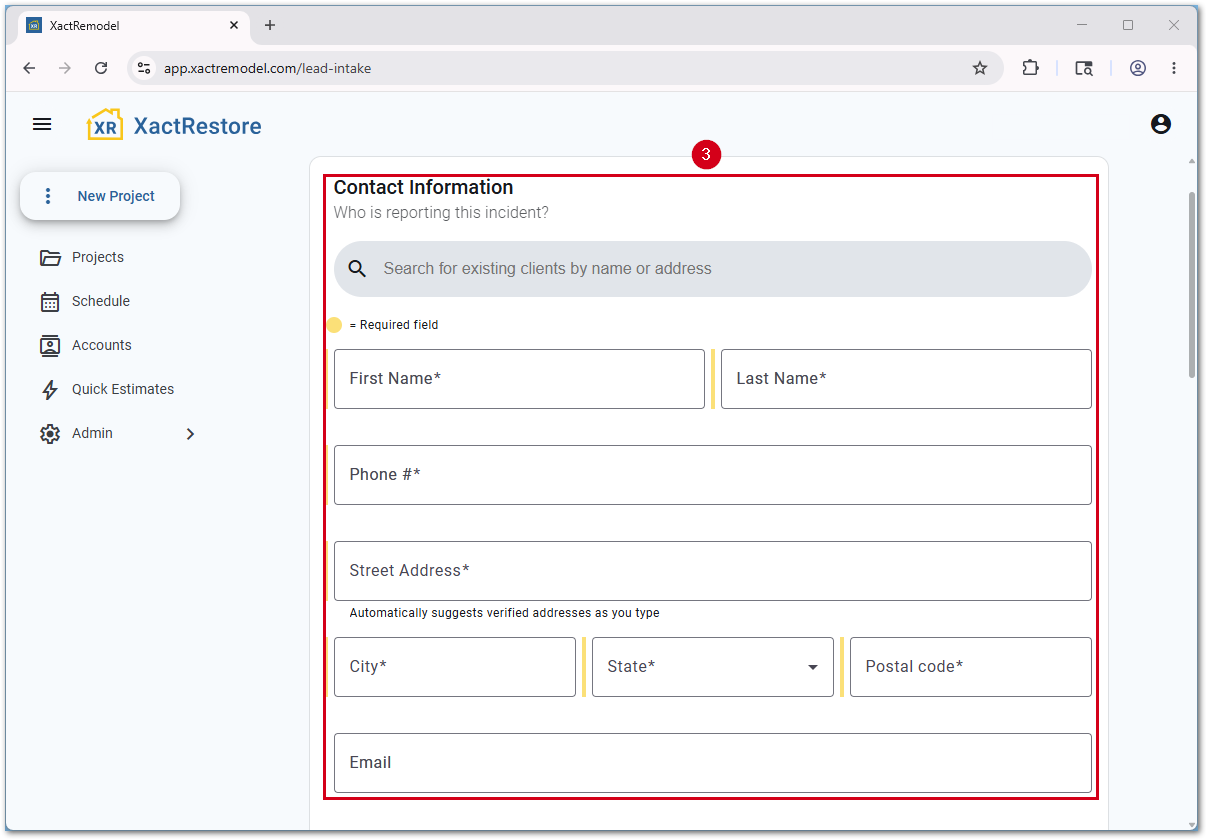
- Fill in the Contact Information.
Note: You can also search for an existing client using the search box to prevent duplicate records and data entry errors.
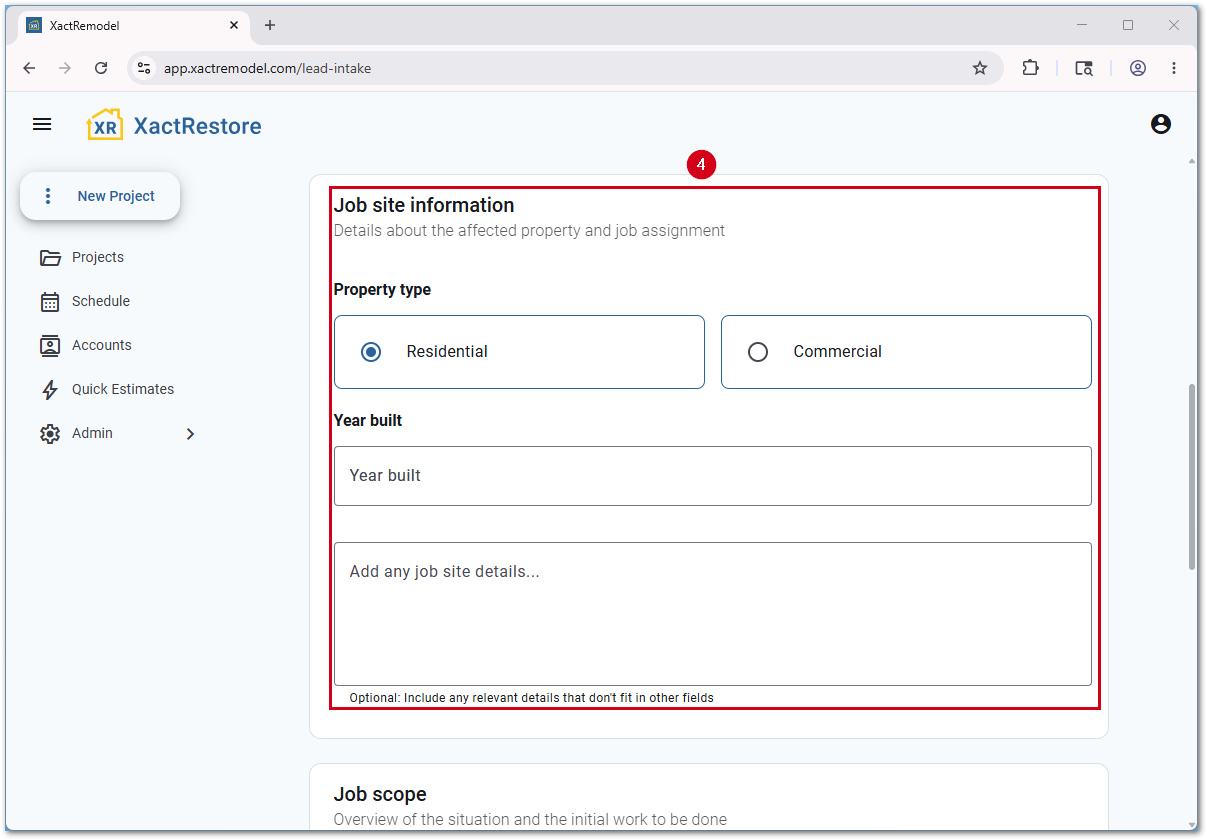
- Fill in the Job site information.
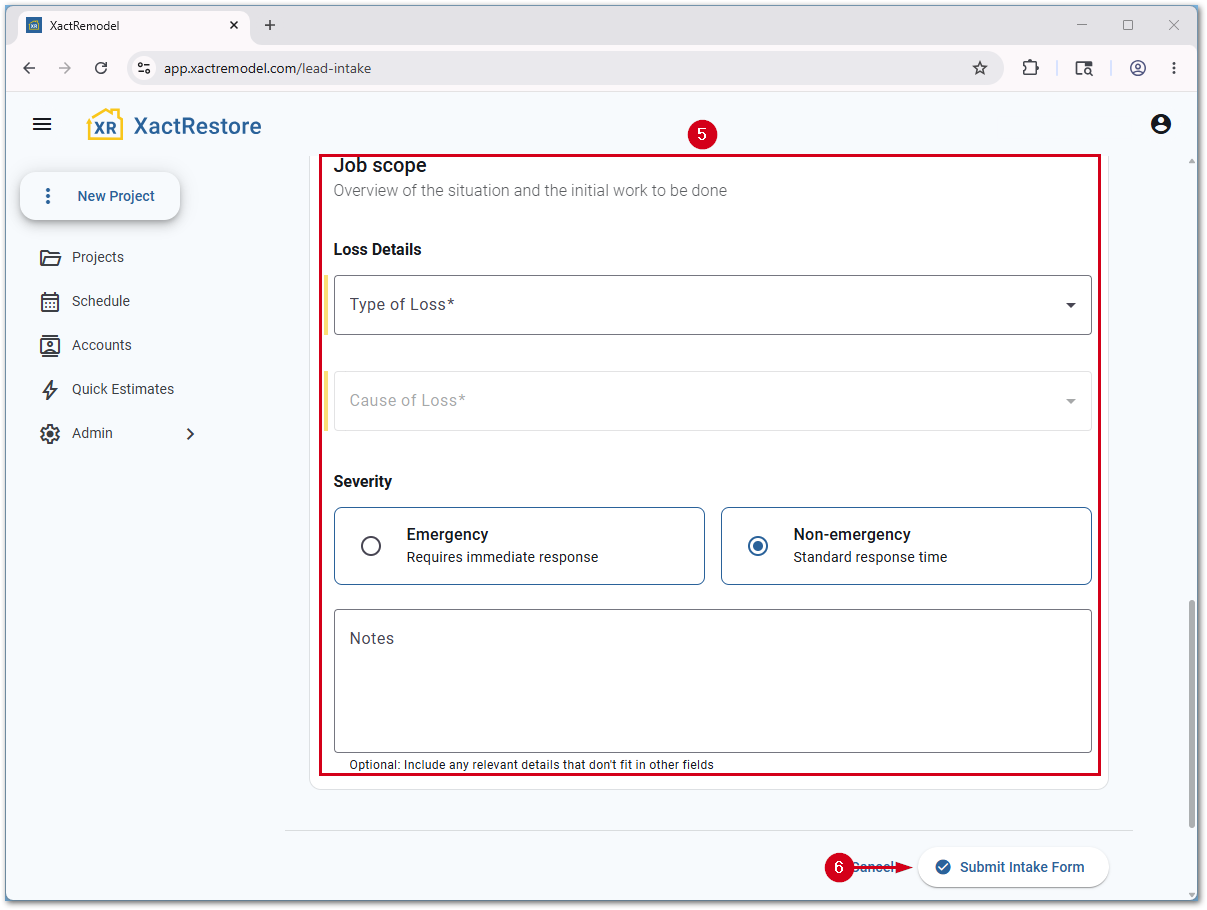
- Fill in the Job scope.
- Select Submit Intake Form. The form closes, a contact is created, and a new project is created and opens.
Note: The project name consists of the customer's last name and project. For example, if the customer's name is John Smith, the project will be called Smith Project. Rename projects to make them easier to distinguish if multiple customers share the same last name or if one customer has multiple projects.