Unable to view quick estimates
 Updated
by Russell B.
Updated
by Russell B.
For Canadian users, quick estimates only appear if the browser language is set to Canadian English. Follow the steps below to change your browser language.
Note: For those who have their browser set to Spanish or French but not Spanish (United States) or French (Canada), follow the same steps below except replace English (Canada) with Spanish (United States) or French (Canada). The country needs to match the country listed in company info.
Google Chrome
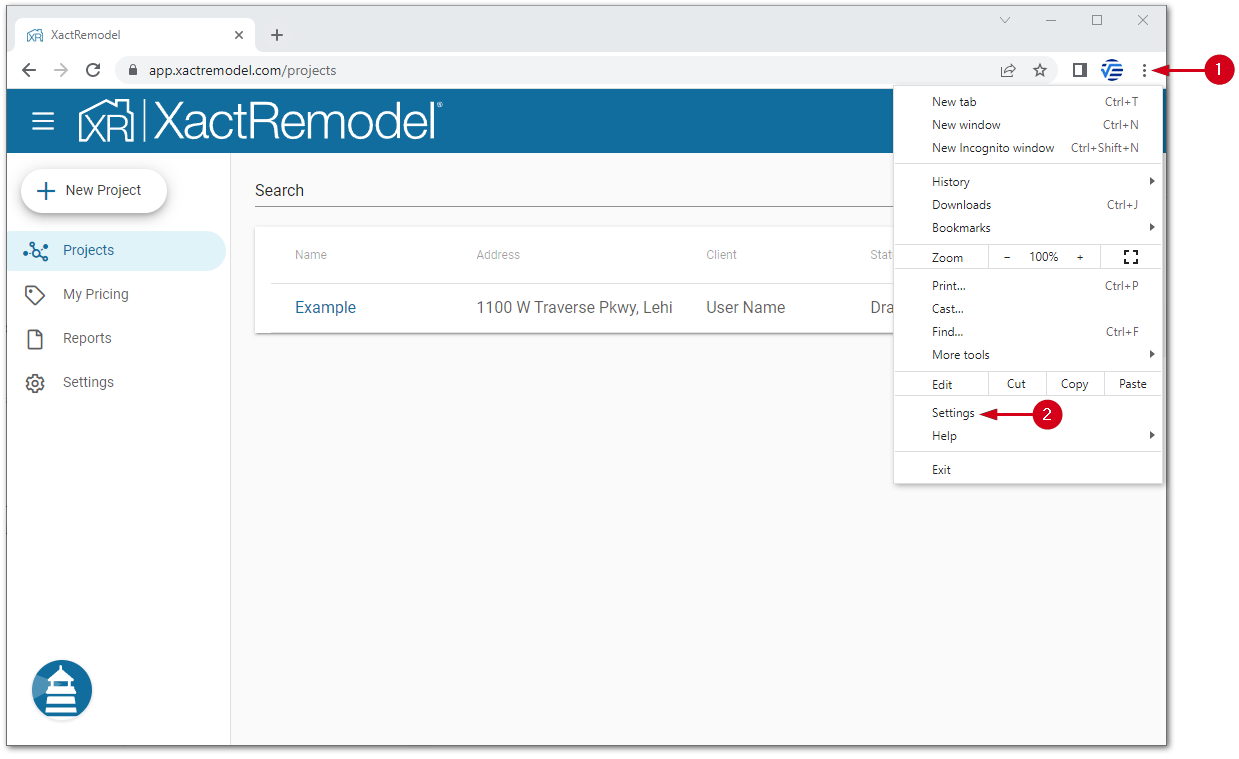
- Open the Customize and control menu.
- Select Settings.
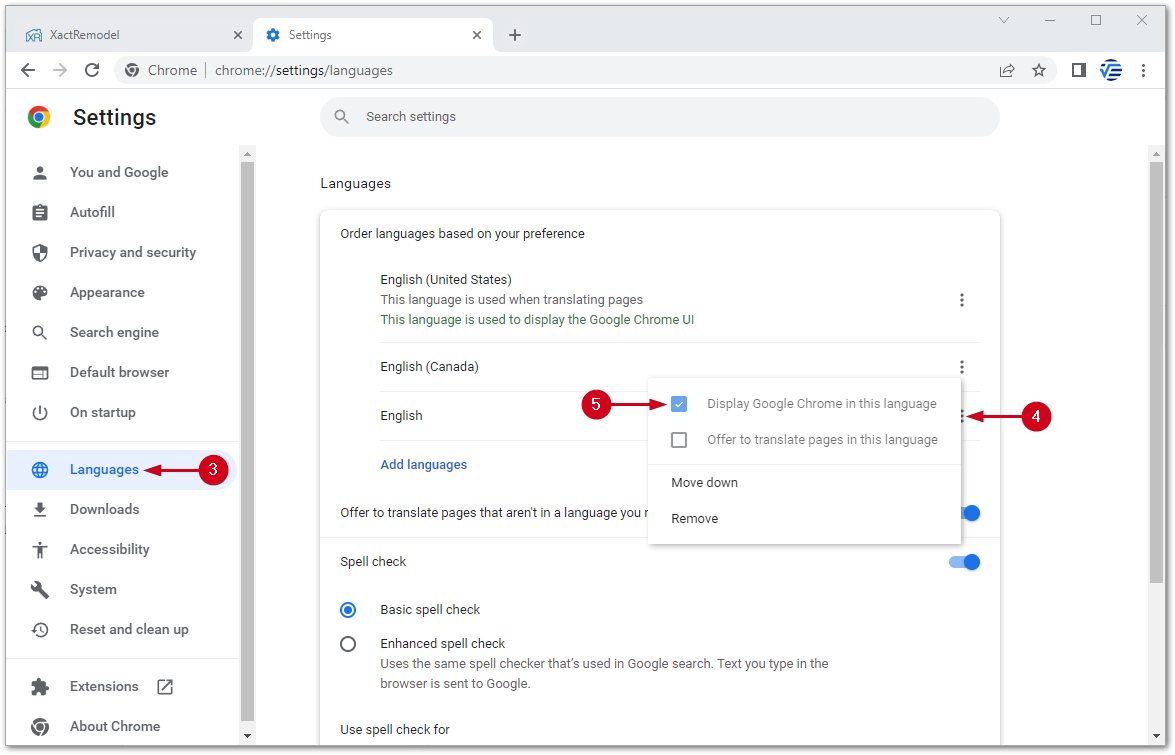
- Select Languages.
- Open the English (Canada) menu.
Note: If the English (Canada) language option does not appear, select Add Languages in the language drop-down, then select English (Canada).
- Select Display Chrome in this language.
- Select Relaunch to restart Chrome.
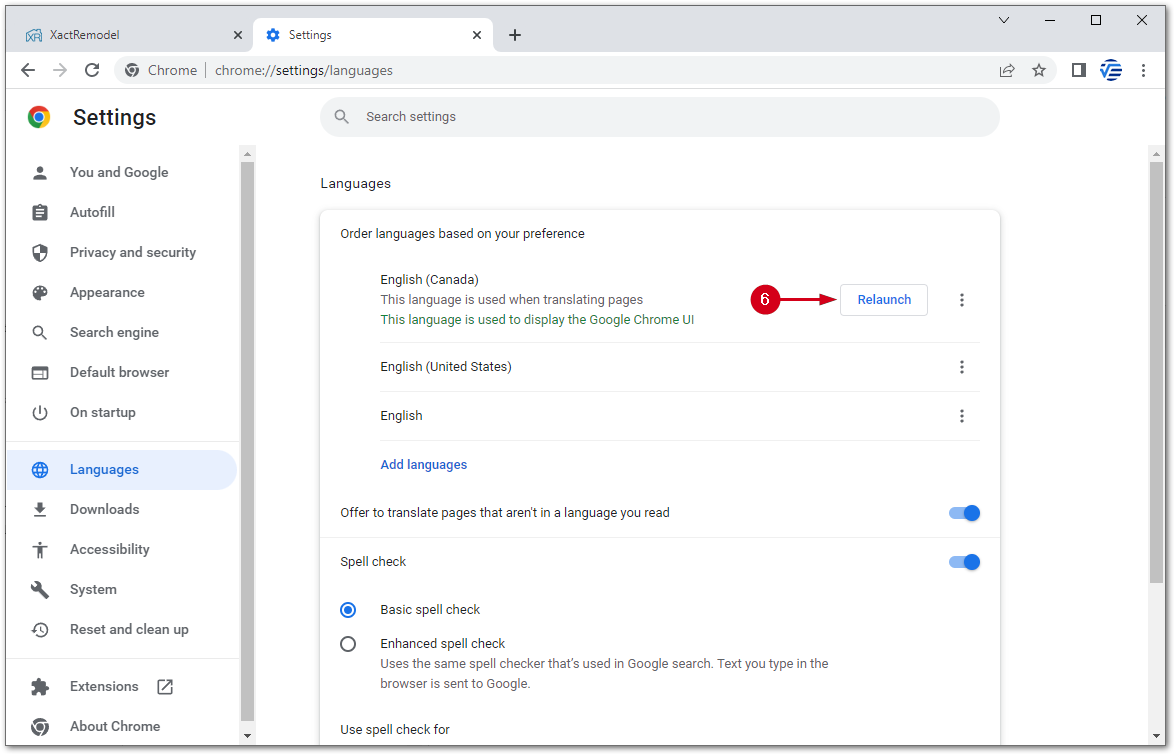
After restarting, quick estimates reappear in XactRemodel and XactRestore.
Microsoft Edge
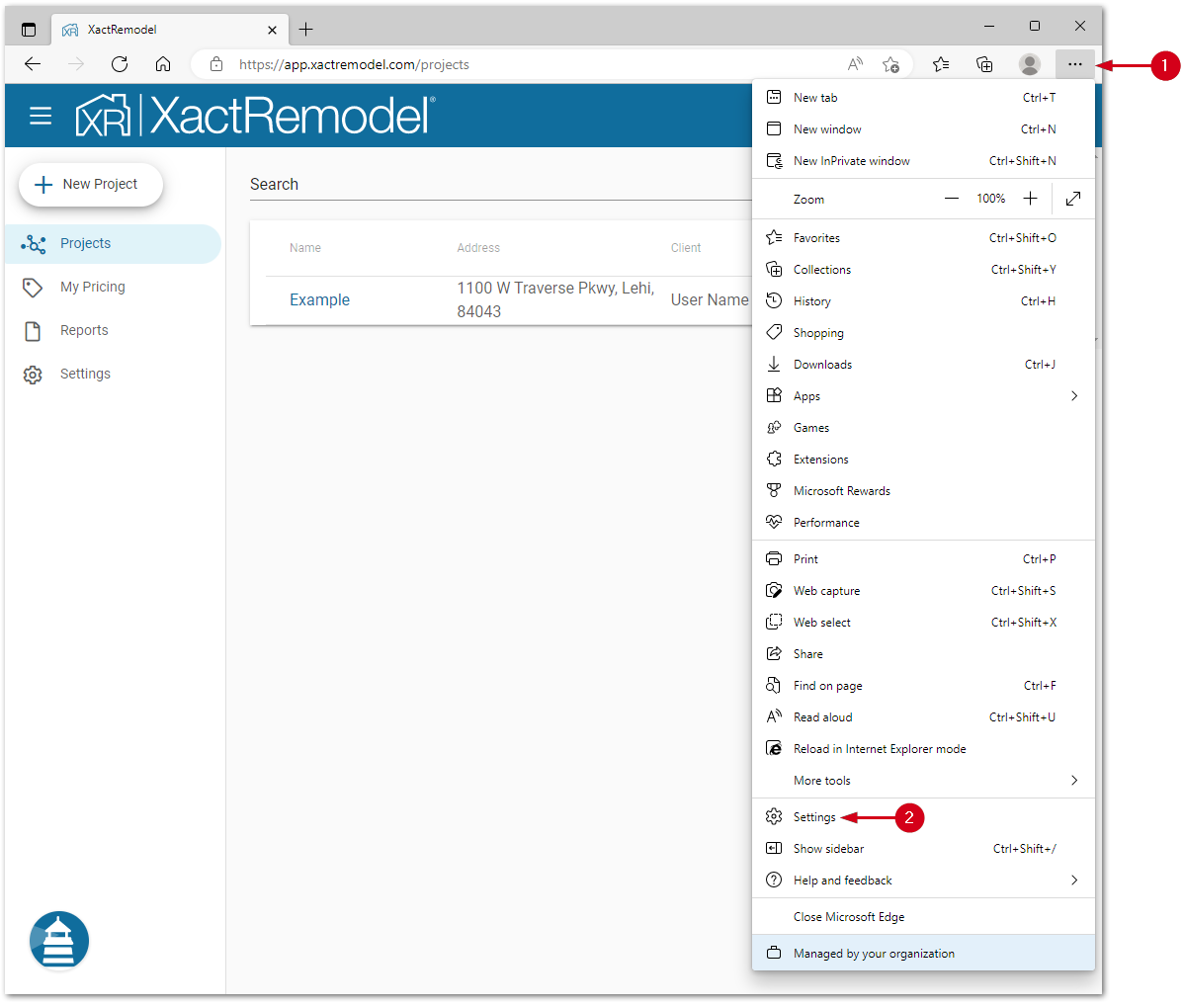
- Open the Settings and more menu.
- Select Settings.
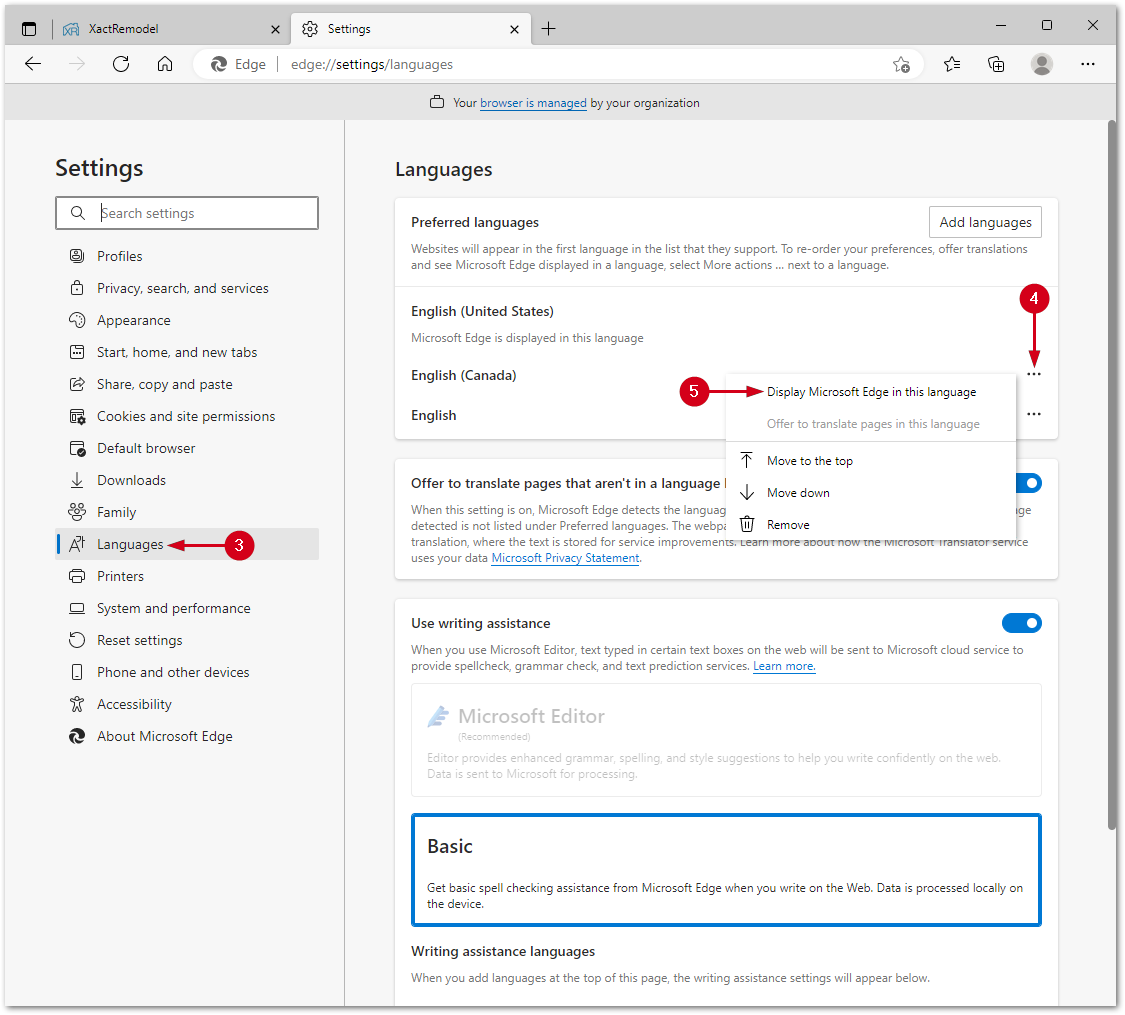
- Select Languages.
- Open the English (Canada) menu.
Note: If the English (Canada) language option does not appear you can add it. In the Languages menu, select Add Language. Locate and select English (Canada) in the menu and then select Add.
- Select Display Microsoft Edge in this language.
- Select Restart to restart Edge.
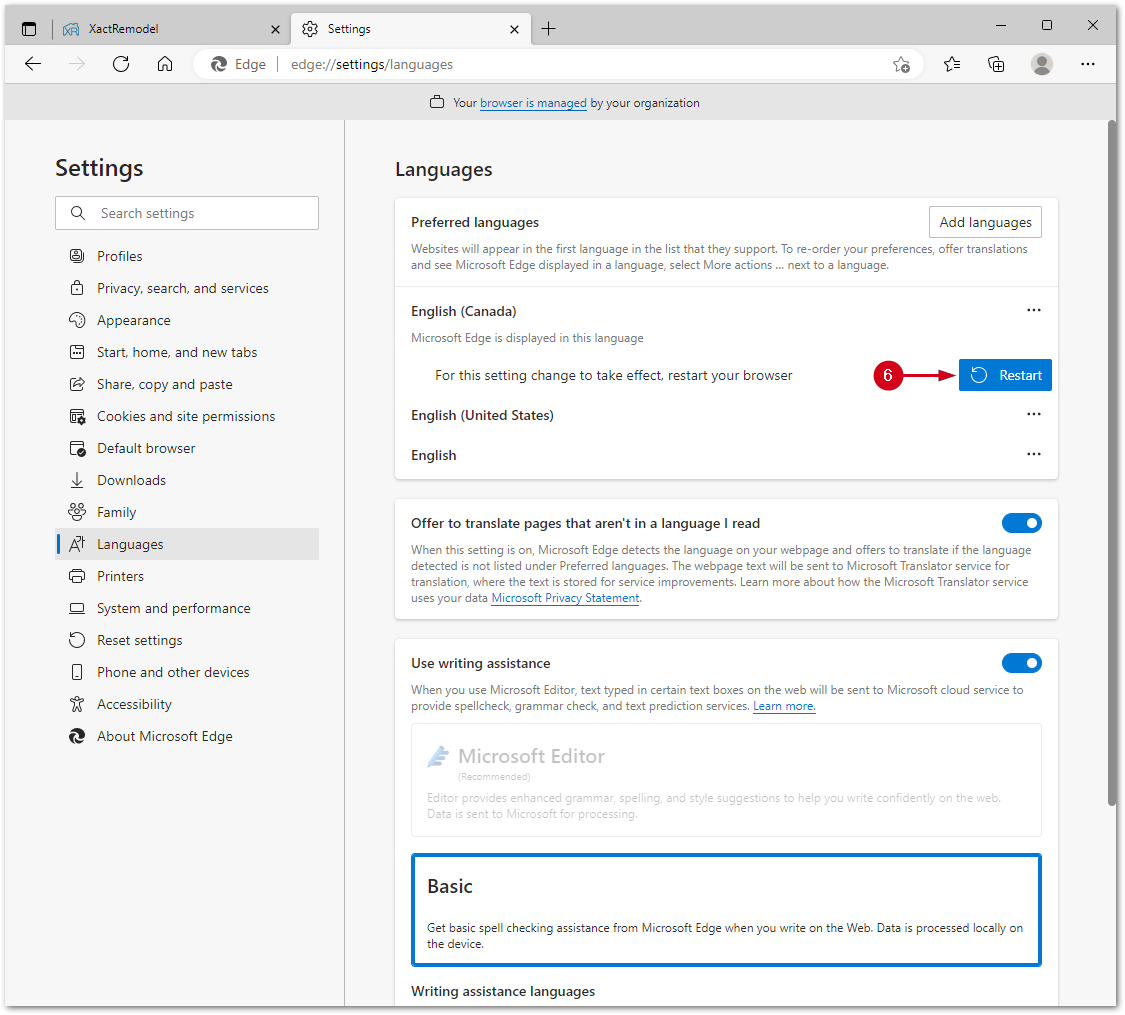
After restarting, quick estimates reappear in XactRemodel and XactRestore.
Mozilla Firefox
- Open the application menu.
- Select Settings.

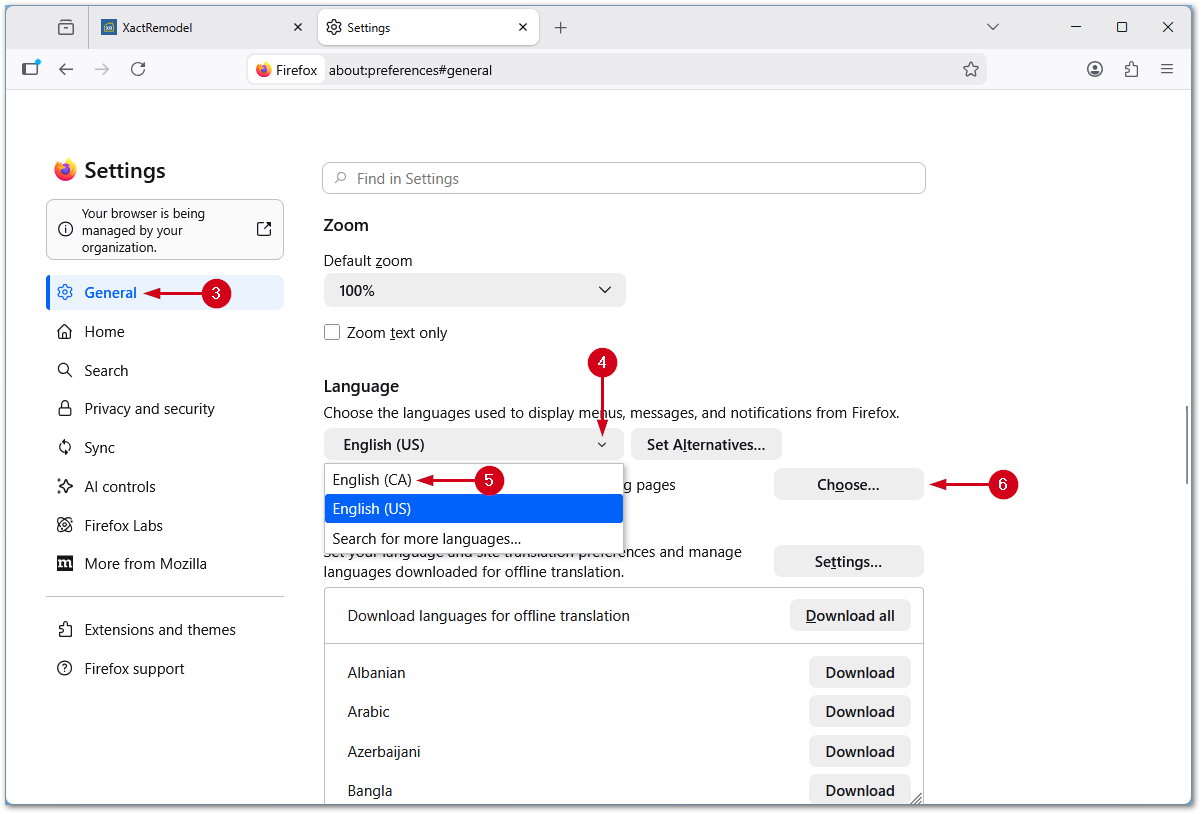
- Select General.
- Open the Language menu.
Note: This is in the Language and Appearance section; you need to scroll down.
- Select English (CA).
Note: If the English (Canada) language option does not appear, open the language menu, select Search for more languages and select English (CA) from the Select a language to add… menu.
- Select Choose…
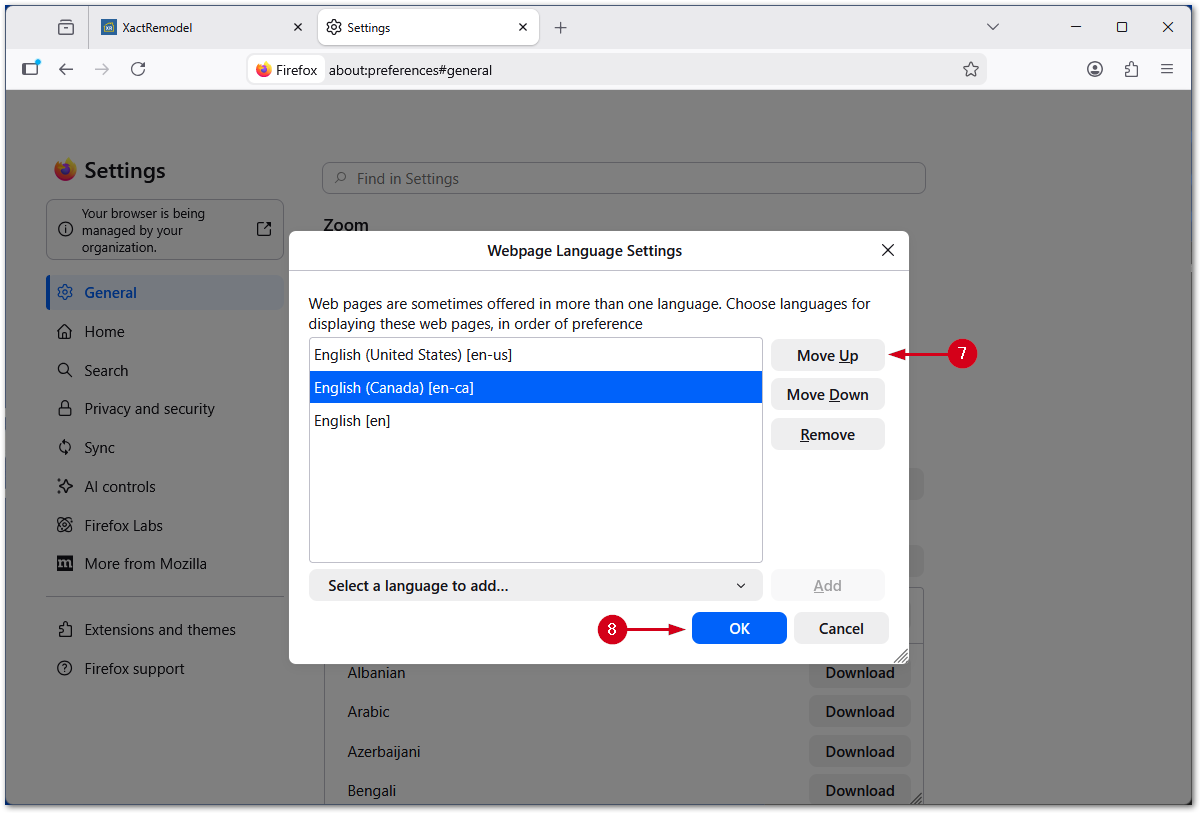
- Use the Move Up button to move English (CA) to the top of the list.
- Select OK.
After restarting, quick estimates reappear in XactRemodel and XactRestore.