Set project dates

There is an Xactware Xpert Tip that might help with part of this process. After selecting play, select the full-screen icon to make the video full-screen.
See our XpertTips library for more Xpert Tips.
XactRestore allows restoration contractors to track the date and time of specific events that take place throughout the project lifecycle. This feature is designed to help you manage your projects more efficiently by providing clear visibility into key milestones and deadlines.
Project dates that can be tracked
Project dates that can be tracked
- Date of Loss: The date the loss or damage occurred.
- Date Received: The date your company receives the job.
- Customer Contacted: The date you first contact the customer about the project.
- Onsite Inspection: The date you conduct your initial onsite inspection.
- Target Start Date: The planned start date for the restoration work.
- Target Completion Date: The planned completion date for the restoration work.
- Job Completed: The date you complete the job.
Set project dates
XactRestore online
Follow the steps below to set project dates within a project.
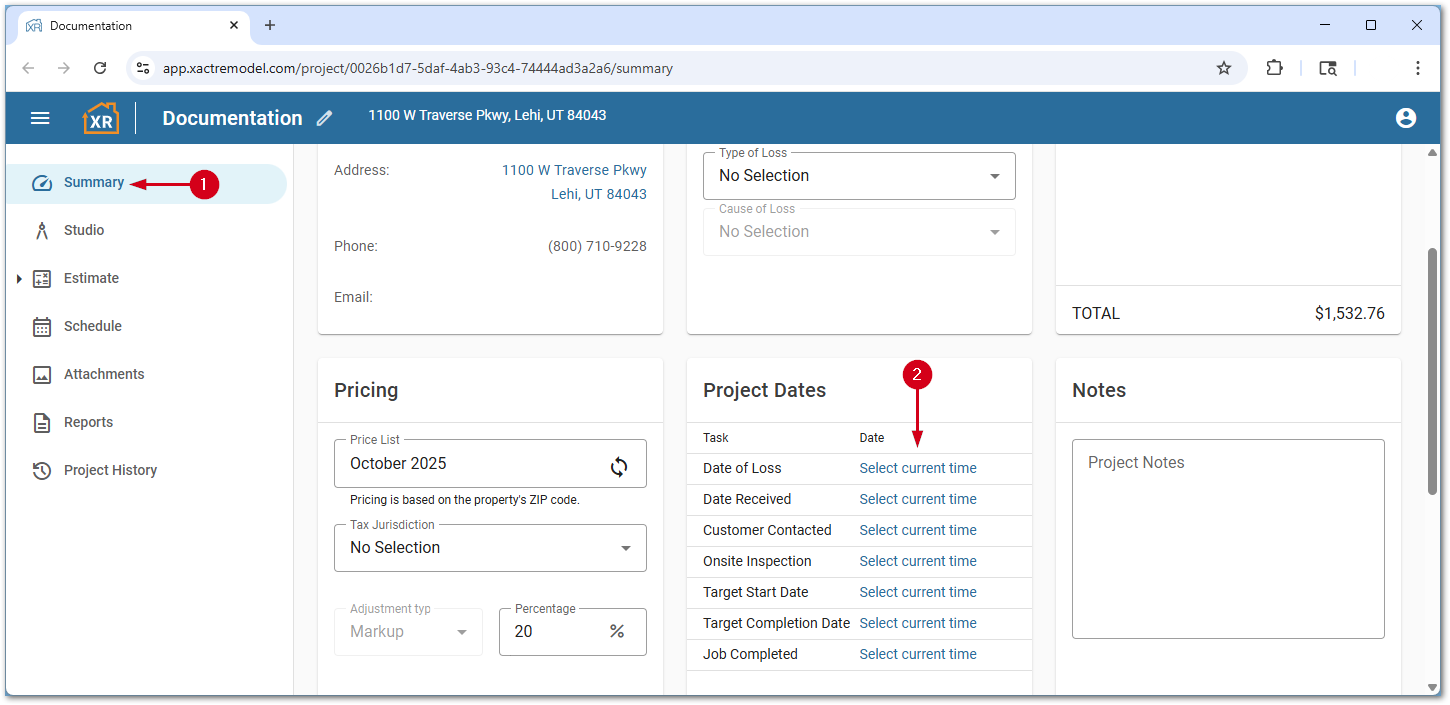
- Within a project, select Summary.
- Select Select current time next to the desired task. This sets the current date and time.
Note: Once a date is set, it cannot be undone.
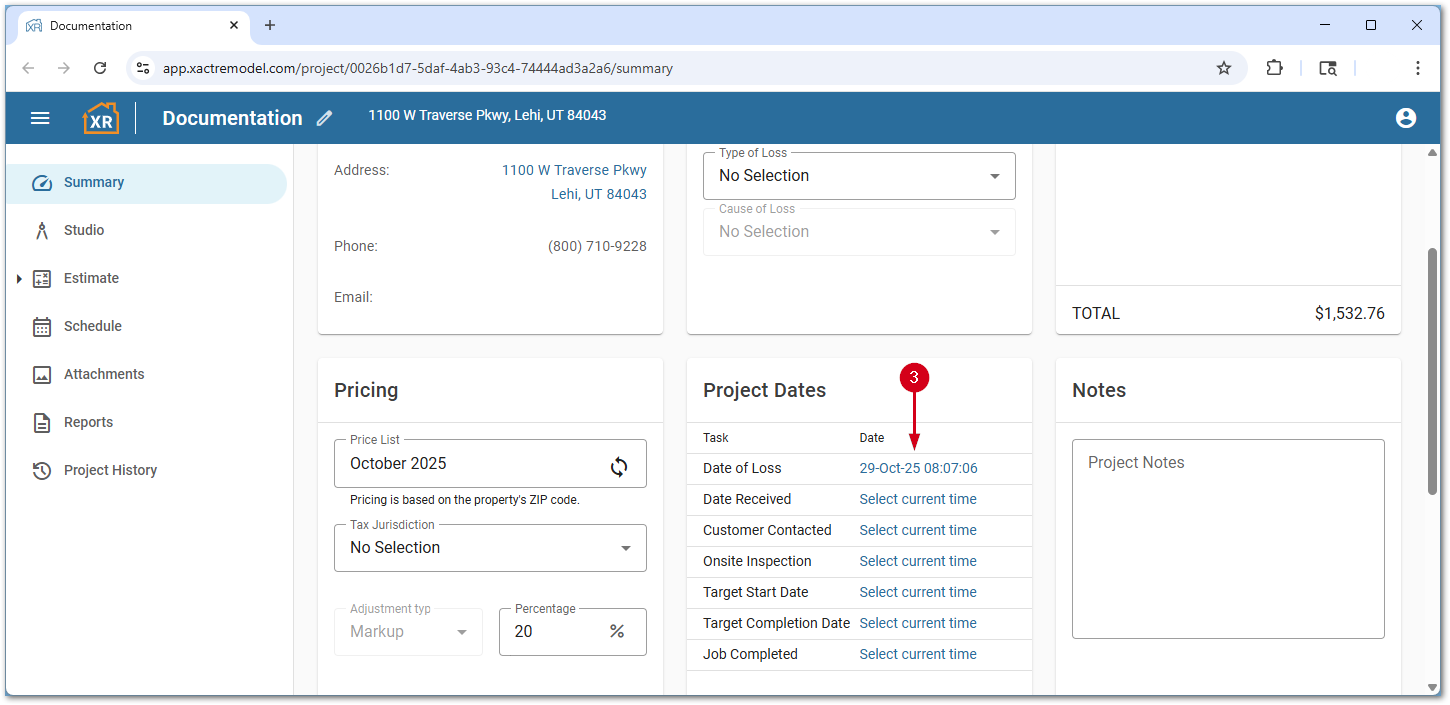
- To change the date or time, select the desired project date.
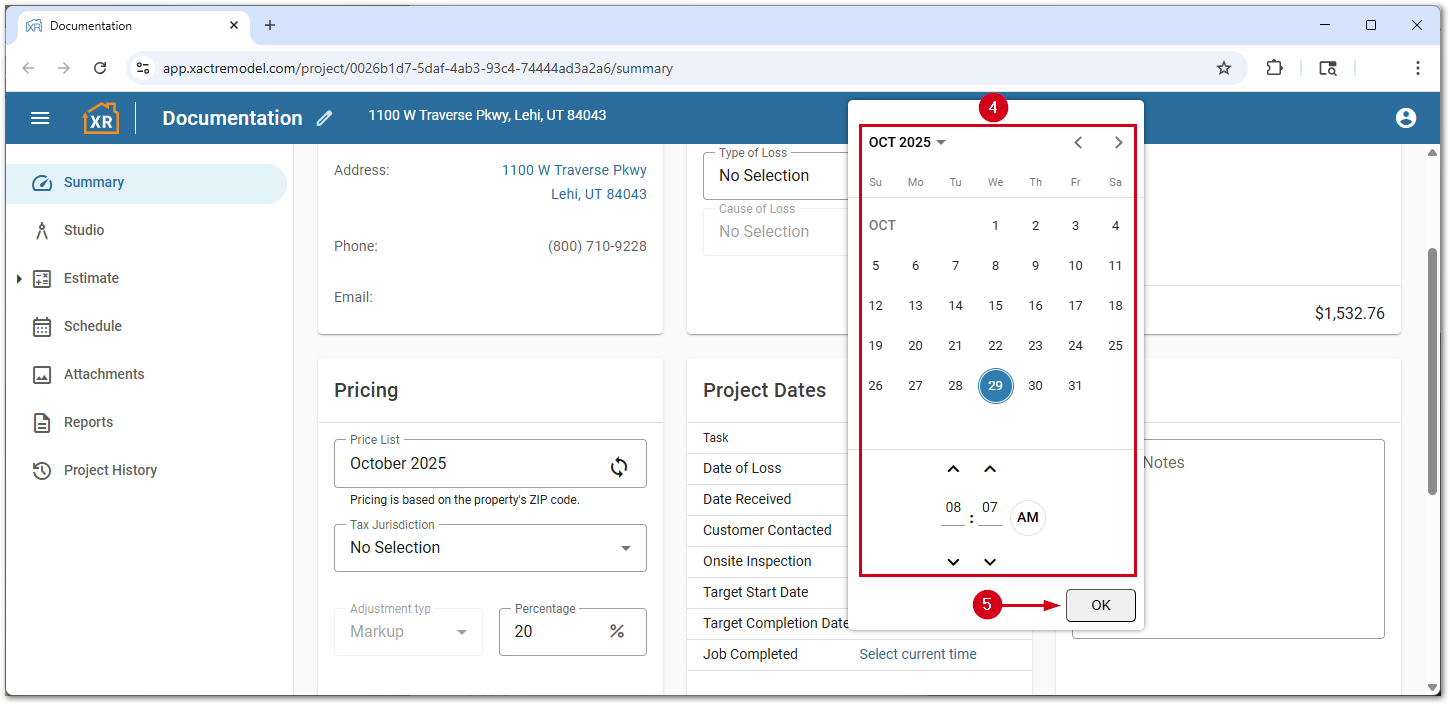
- Make any desired changes.
- Select OK.
XR Mobile
Follow the steps below to set project dates within a project.
Note: The screenshots below are from iOS; however, the experience is similar on Android devices.
- From within a project, select the Summary button.
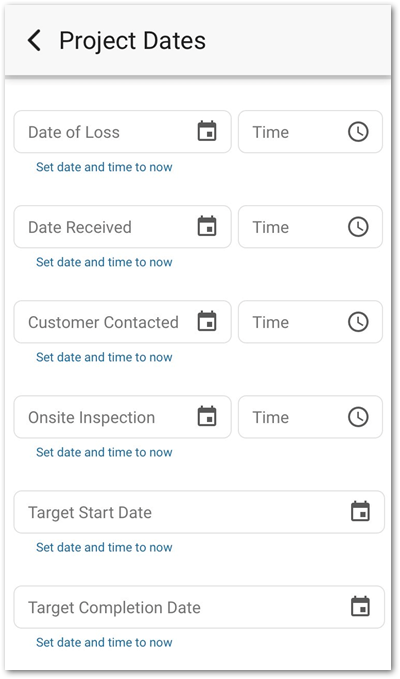
- Select Project Dates.
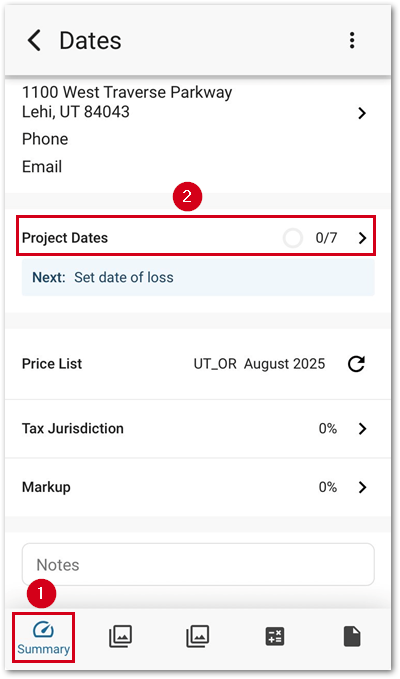
You can set dates and times by selecting the desired field. Alternatively, select Set date and time to now to set the current date and time.