Copy Items From One Group to Another Group

In XactRemodel and XactRestore items can be copied between groups.
Note: Items cannot be copied into the same group they are in. Additionally, items cannot be copied in XactRemodel mobile.
XactRemodel
Copy line items
Line items can be copied between groups within projects in XactRemodel.
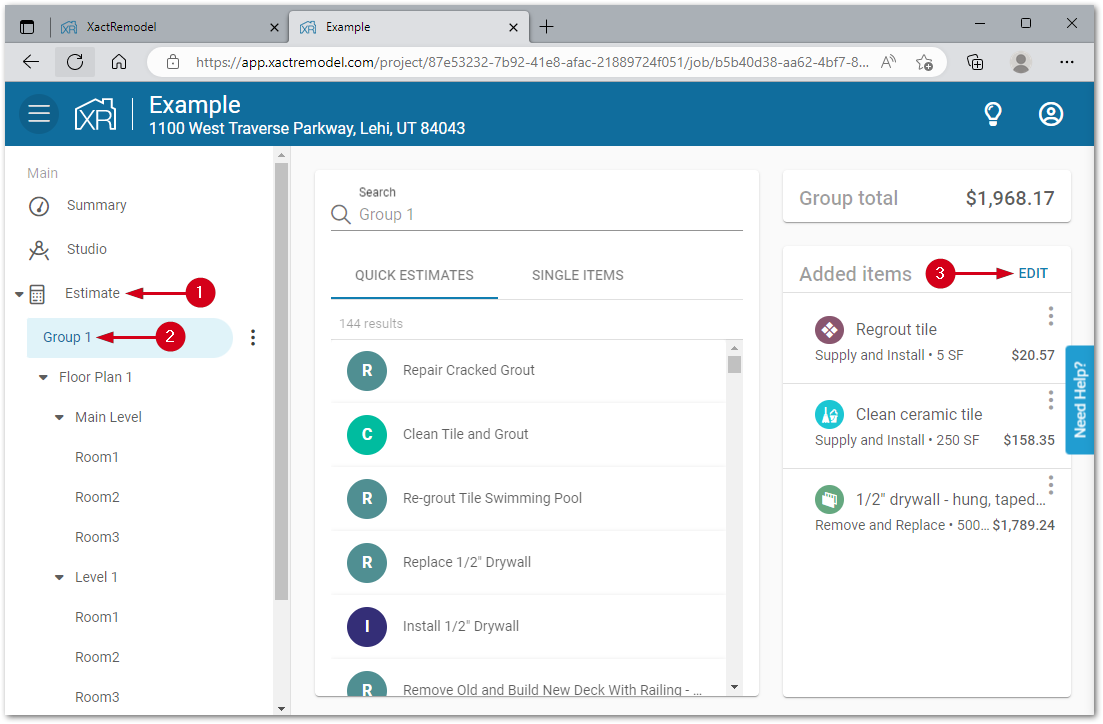
- From within a project, open the Estimate menu.
Note: If the menu is hidden, click the menu icon in the top left of the project.- Select the group with the line items to copy.
- Click EDIT in the Added items list.
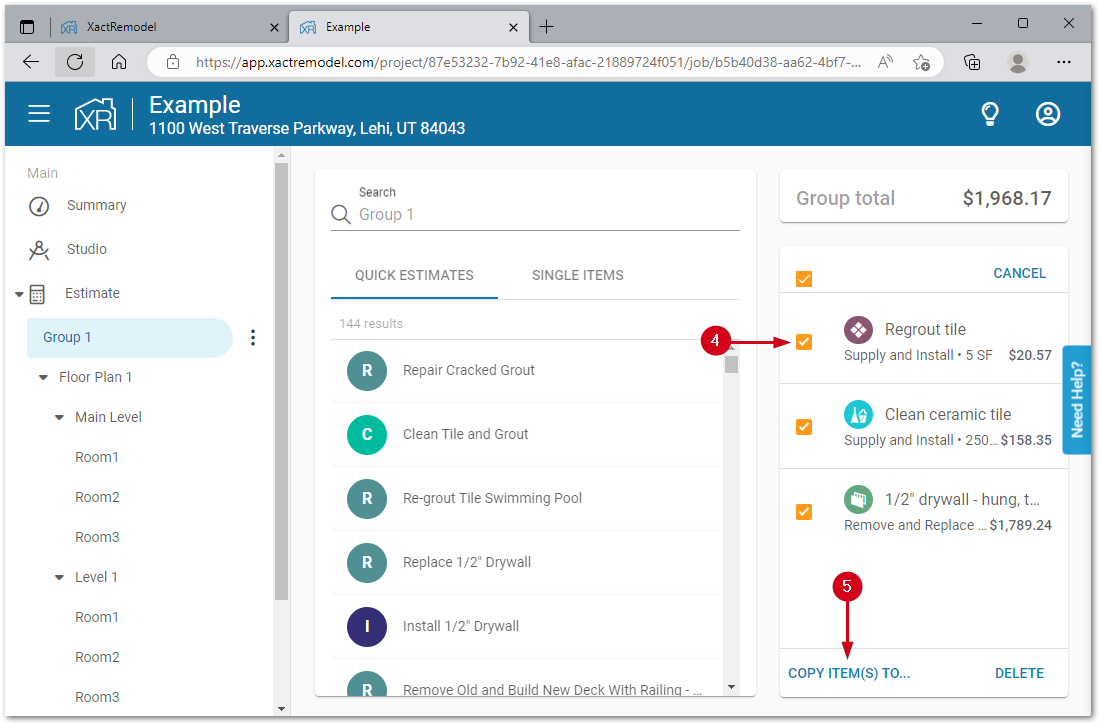
- Click the checkbox next to the line item(s) to copy.
Note: If all line items are to be copied, click the checkbox at the top of the list to quickly check all items.- Click COPY ITEM(S) TO…
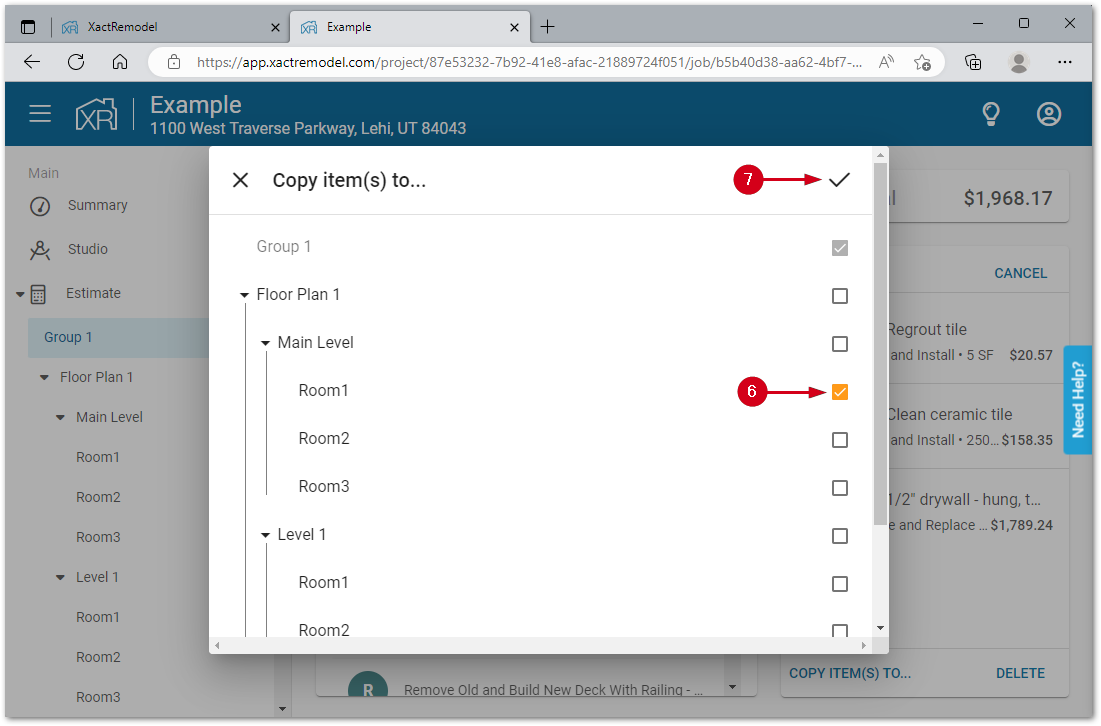
- Select the destination group(s) to copy the line items to.
- Click the add to group icon.
Duplicate groups
Entire groups, with all line items entered, can be duplicated within a project in XactRemodel.
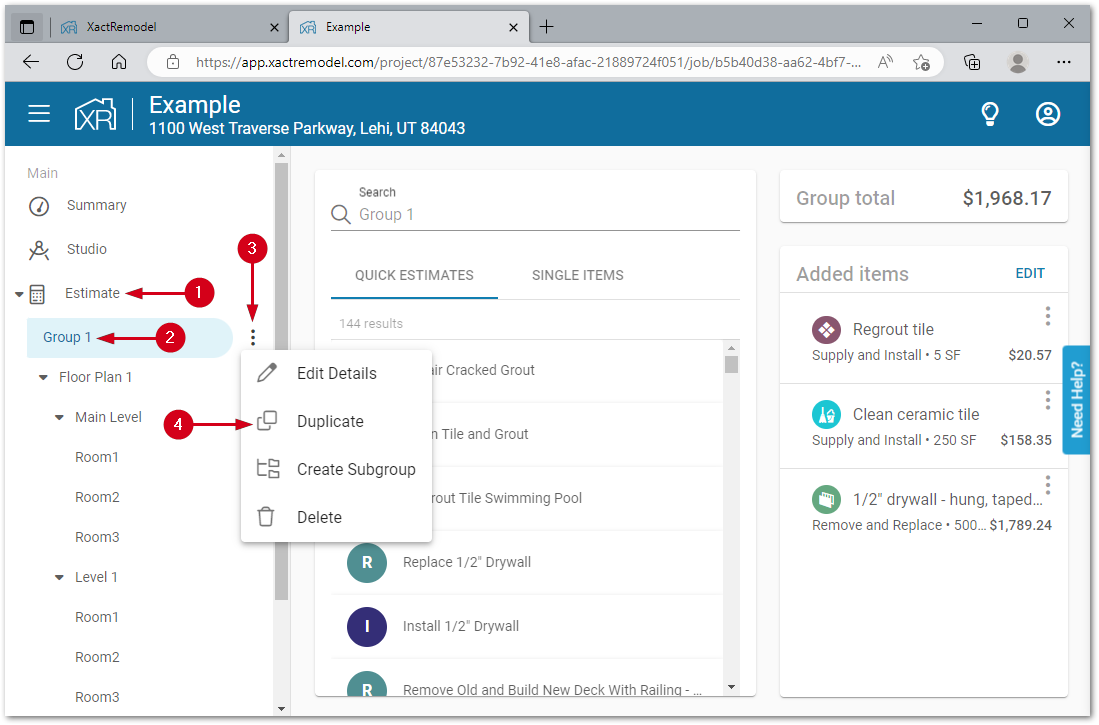
- From within a project, open the Estimate menu.
Note: If the menu is hidden, click the menu icon in the top left of the project.- Select the group to duplicate.
- Click the group menu.
- Select Duplicate.
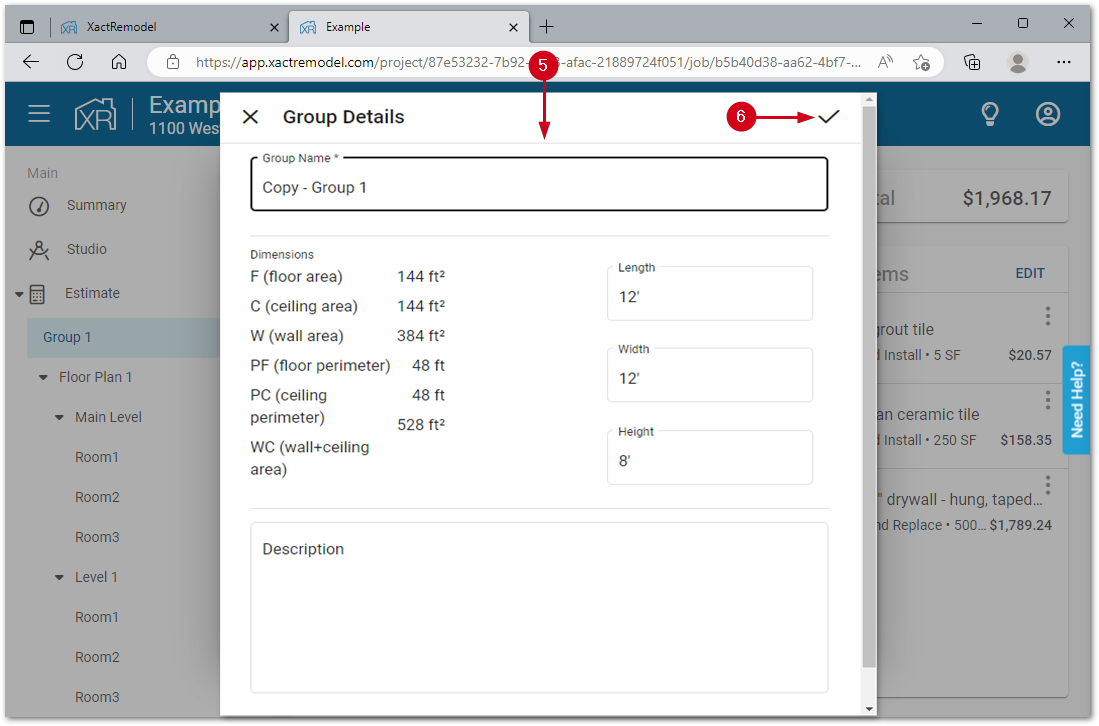
Note: If the group was automatically created by using the Studio feature, those groups cannot be duplicated using this method.- Fill in the form.
- Group Name: Enter a name for the new group.
- Dimensions: Optionally, add in the length, width, and height of the room.
- Description: Optionally, add any freeform notes about the group.
- Click the save changes icon.
Duplicate floor plans
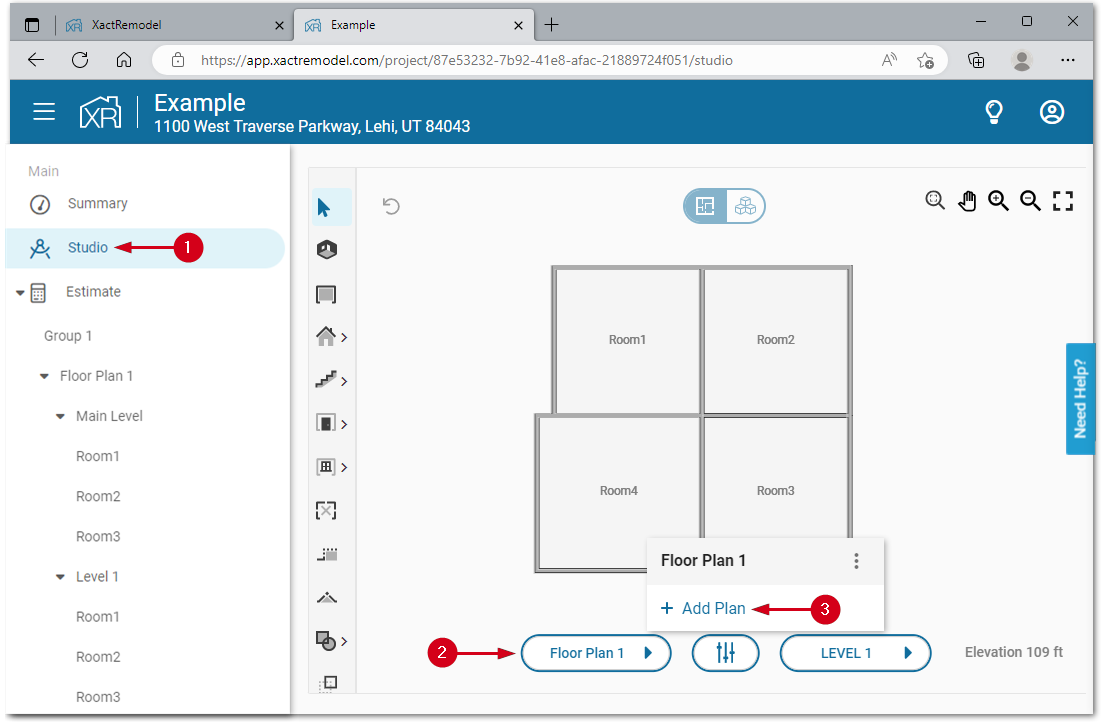
Entire floor plans within Studio can be duplicated within XactRemodel.
Note: Only the sketch will be copied. Use the copy line-items section above to copy line items between groups. Additionally, Studio is only available to users who have subscribed to the Studio or Pro subscription level and is only available online, not on XactRemodel.
- From within a project, click Studio.
Note: If the menu is hidden, click the menu icon in the top left of the project.- Click Floor Plan 1.
- Click Add Plan.
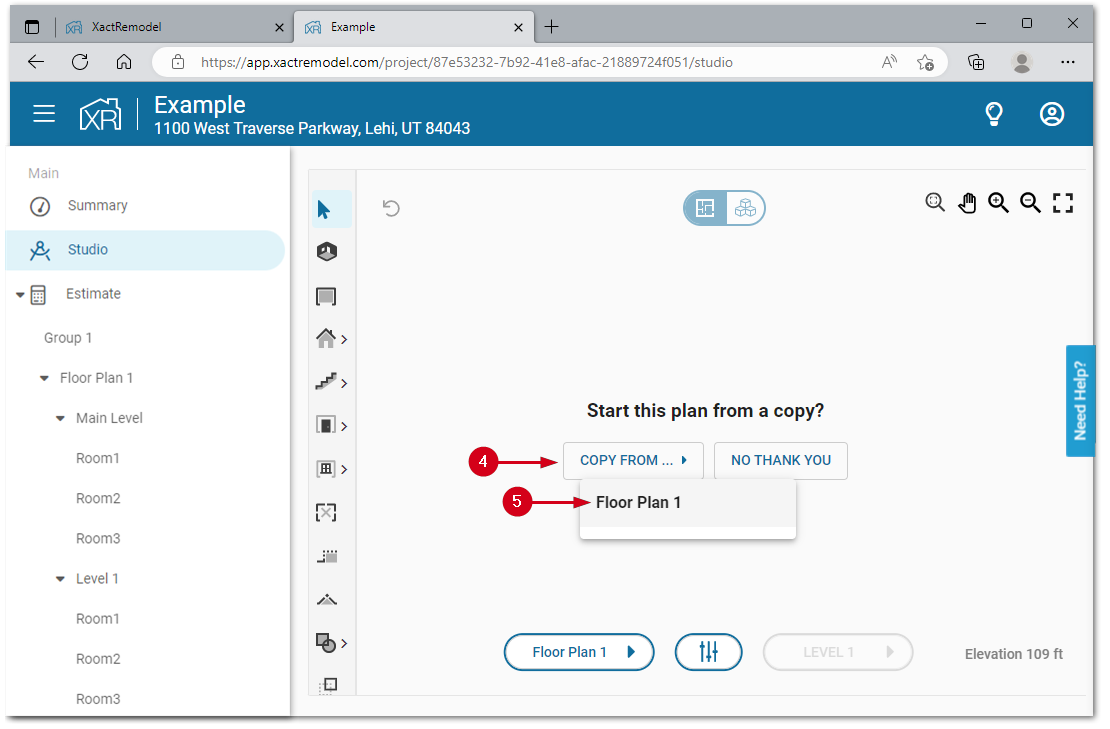
- Click COPY FROM…
- Select the floor plan to copy from. The entire sketched floor plan will be copied.
Duplicate projects
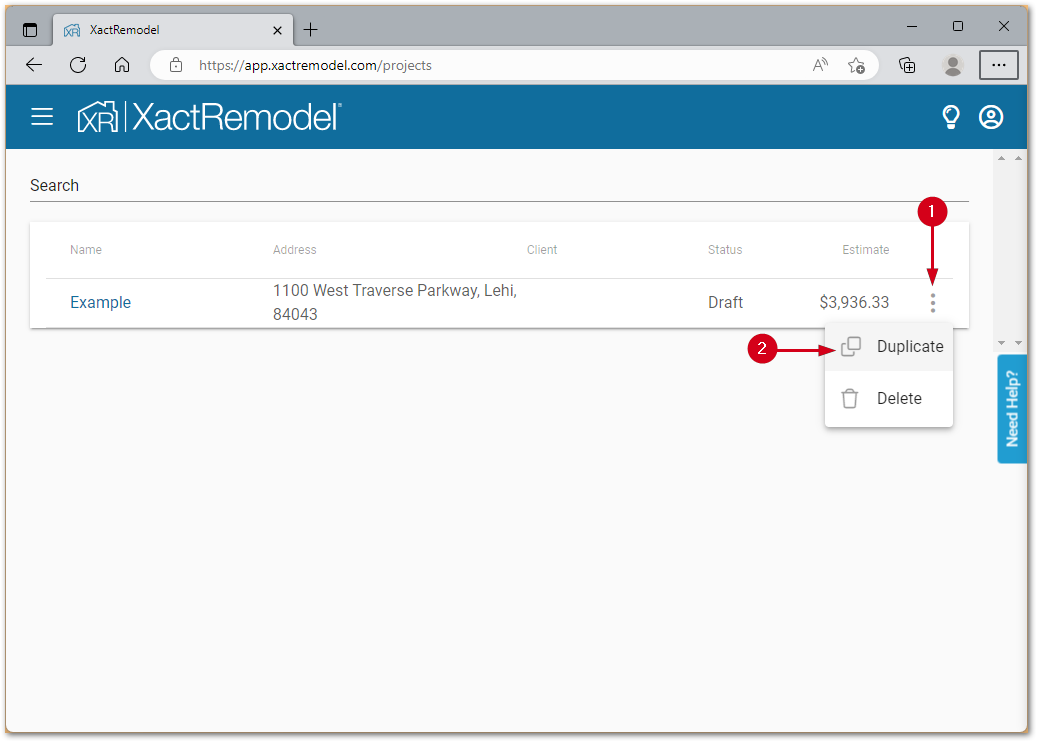
Entire projects can be duplicated within XactRemodel.
- From the projects list, open the project menu for the project to duplicate.
- Select Duplicate. A new copy of the project will be added to the project list.
XactRemodel Mobile iOS
Duplicate groups
Entire groups, with all sub-groups and line items entered, can be duplicated within a project in XactRemodel Mobile iOS.
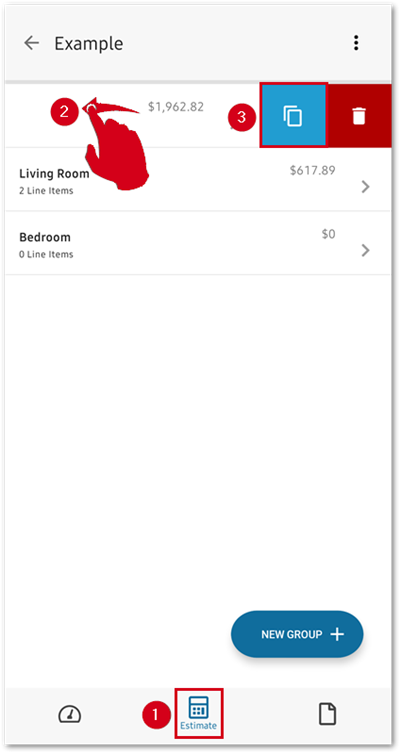
- From within a project, select Estimate.
- Swipe left on the group to duplicate.
- Select the copy icon. The newly created group will be added to the list.
Duplicate projects
From the project list
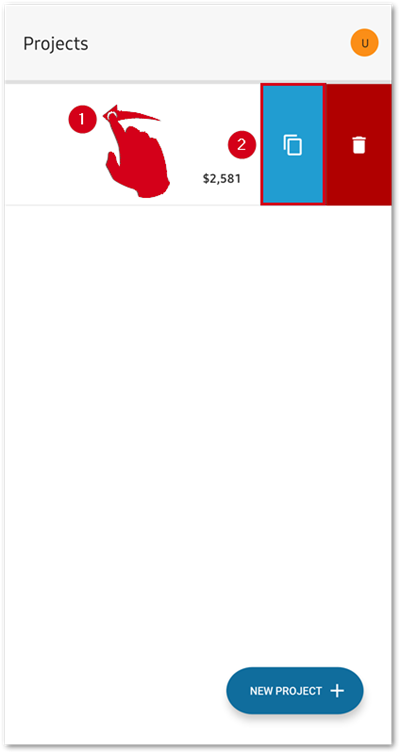
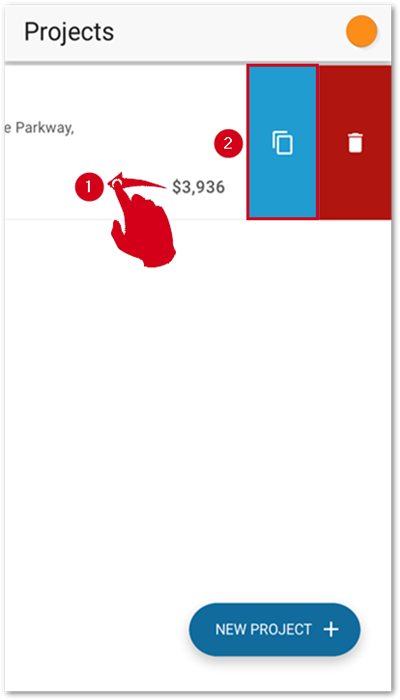
- From the project list, swipe left on the project to duplicate.
- Select the copy icon. A new copy of the project will be added to the project list.
From within a project
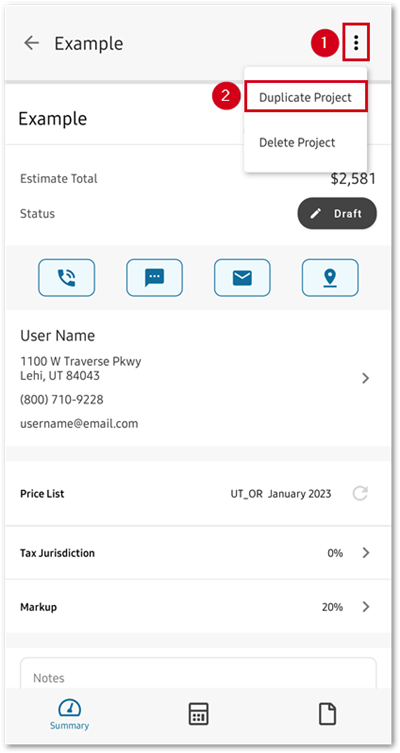
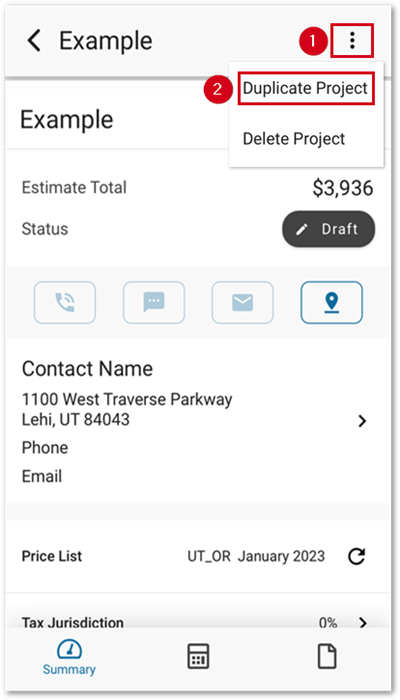
- From within a project, open the project menu.
- Select Duplicate Project. A new copy of the project will be added to the project list.
XactRemodel Mobile Android
Duplicate groups
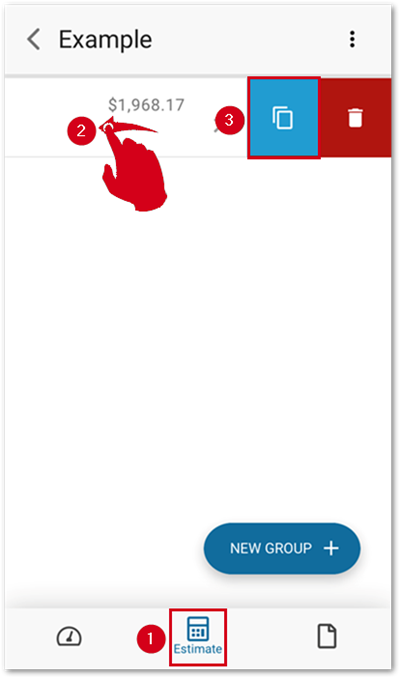
Entire groups, with all sub-groups and line items entered, can be duplicated within a project in XactRemodel Mobile Android.
- From within a project, select Estimate.
- Swipe left on the group to duplicate.
- Select the copy icon. The newly created group will be added to the list.
Duplicate projects
From the project list
- From the project list, swipe left on the project to duplicate.
- Select the copy icon. A new copy of the project will be added to the project list.
From within a project
- From within a project, open the project menu.
- Select Duplicate Project. A new copy of the project will be added to the project list.