Getting Started
Frequently asked questions (FAQ)
System requirements
Company info
Adjustments in XactRemodel and XactRestore
My Pricing
Line Item and Pricing Data
Create report statements
Create a project
Contact Support
XactRemodel and XactRestore subscription levels
XR Mobile overview
Unable to view quick estimates
Manage users and roles
Custom quick estimates
XactAI
Accounts and Contacts
Projects
Project Overview
Project summary
Reprice a project or change a tax jurisdiction
Export projects to Direct Supplier
Import contacts in XR Mobile
Project history log
Project statuses
Recover deleted projects
Groups
Line Items
Add line items from within an estimate
Reorder and delete line items
Line item details
Line item quantity calculations
Edit components
Add a line item note
Use the Verisk XactRestore connector in Claude
Duplicate line items, groups, floorplans, and projects
AI Estimator
Studio
Getting Started
Studio overview
Share floor plans
Build an estimate
Import image underlays in Studio
Level properties
Manage multiple floor plans in Studio
Reference objects
Tools
View sketch in 3D in Studio
Working with levels
Rename a sketch in XactRemodel and XactRestore Studio
Framing in Studio
Rooms
Room basics
Room properties
Subgroups
Square Break tool
Create a vaulted or attic ceiling
Ceilings
Stairs
Vertex tool
Openings
Roofs
Snap line tool
Zoom controls in Studio
Annotations
Capture floorplans using Sketch AR or Sketch Scan
Add line items in Studio
Rotate an object
Scheduling
Attachments
Reports
Integrations
Release Notes
Account management
Cancel or change a subscription
Account Deletion
Subscribe to XactRemodel or XactRestore
Update account information
Transferring from XactRemodel Desktop
XactRestore
Field docs
Field docs - Admin
Field docs initial job setup
Add levels in Field docs
Add rooms in Field docs
Add equipment in Field docs
Reporting in Field docs
Field Docs completion and final review
Take daily readings in Field docs
Pick up equipment in Field docs
XactRestore now available!
Set project dates
Type of loss
Import Xactimate estimates (ESX) in to XactRemodel and XactRestore
Manage users and roles in XactRemodel and XactRestore
Lead creation in XactRestore
XactRestore Pro integration with XactAnalysis
- All Categories
- Release Notes
- November 2023 New Features
November 2023 New Features
When preparing a bid for a client, it's crucial to include as much detail as possible and tailor it to specific needs. A comprehensive bid is essential for successful project completion and client acquisition. To enhance your tailored experience, XactRemodel has introduced the following features:
Photo Attachments
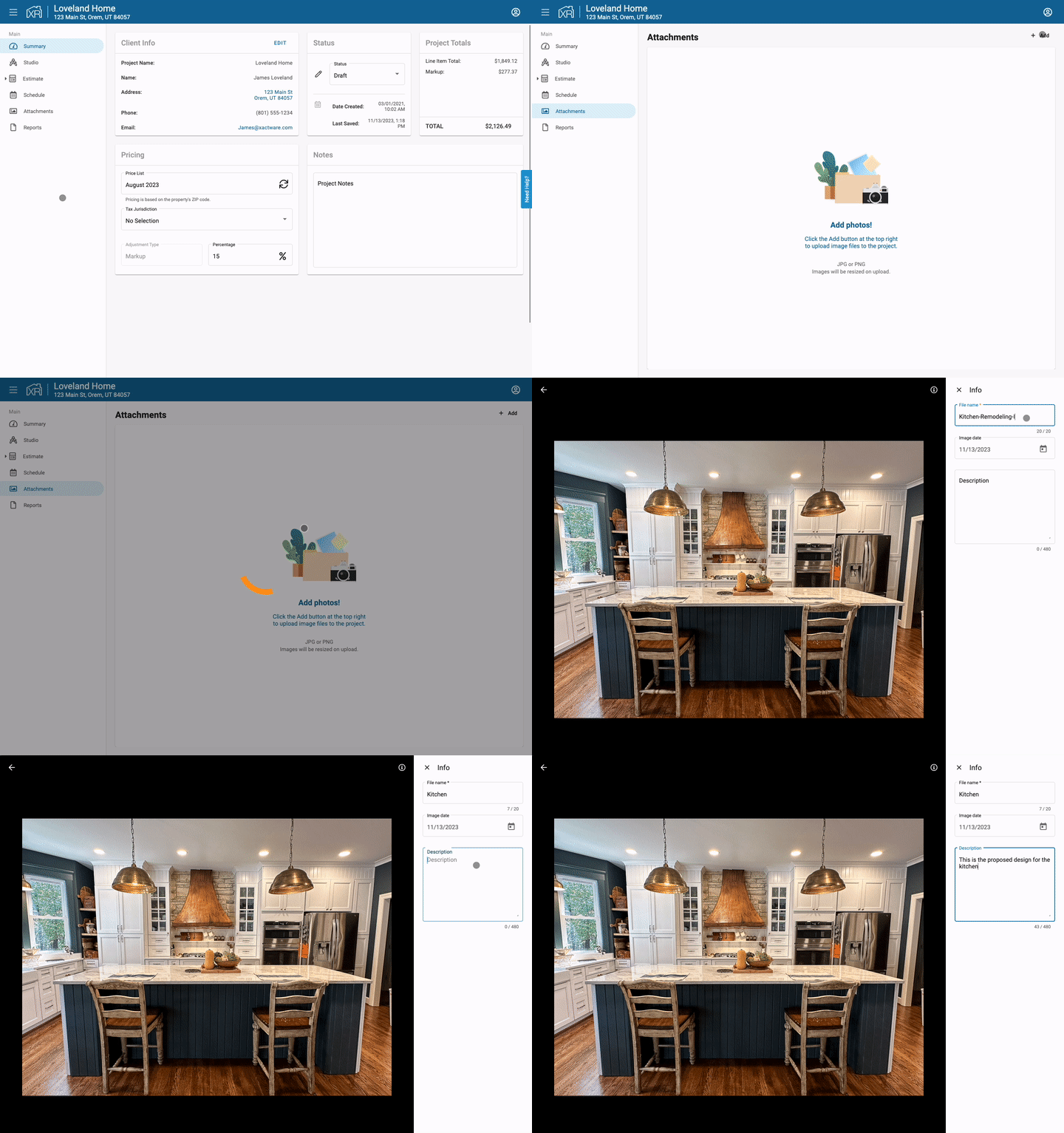
XactRemodel introduces a feature that empowers users to incorporate photo attachments into their estimates, transforming the bidding process by crafting a visual narrative of the project. This improvement enhances clarity and alignment among stakeholders, including contractors, sub-contractors, and clients. Furthermore, this feature provides added convenience by enabling on-the-job photo capture directly through the mobile app and allows photos to be included in the proposal report. Learn more
Line Item Quantity Calculations
Users in XactRemodel have traditionally had the ability to customize line item quantities for their bids. With the latest release, we have enhanced this capability by allowing users to not only view but also edit the formulas that underlie these calculations. The quantities of line items are determined by room dimensions, with each line item having a calculation based on room variables derived from those dimensions. Learn more

For any questions about your subscription or to make any changes to your subscription, contact our sales team at 1-833-352-9228.