Cancel or change a subscription
 Updated
by Russell B.
XactRemodel and XactRestore offer a straightforward process to manage your account or get answers for billing related questions.
Questions about billing methods or an invoice
Change subscription tier
To change subscription tiers, please reach out to the PropTech Sales Department by calling 1-833-352-9228 between 7:00am – 4:00pm Mountain Time Monday through Friday.
Note: For more information about the subscription tiers, see our XactRemodel and XactRestore subscription levels document.
Questions about billing methods or an invoice
If you have any questions regarding an invoice or to update your payment method, please contact our Billing Department. You can call 1-800-758-9228 between 7:00am – 5:00pm Mountain Time, Monday through Friday, or send an email to pesxactwarebilling@verisk.com.
Note: Additionally, you can manage your invoices and payment methods in the Verisk Customer Portal. For assistance, see our View and pay invoices in the Customer Portal document.
Cancel subscription
Follow the steps below to cancel your subscription in the Verisk Customer Portal.
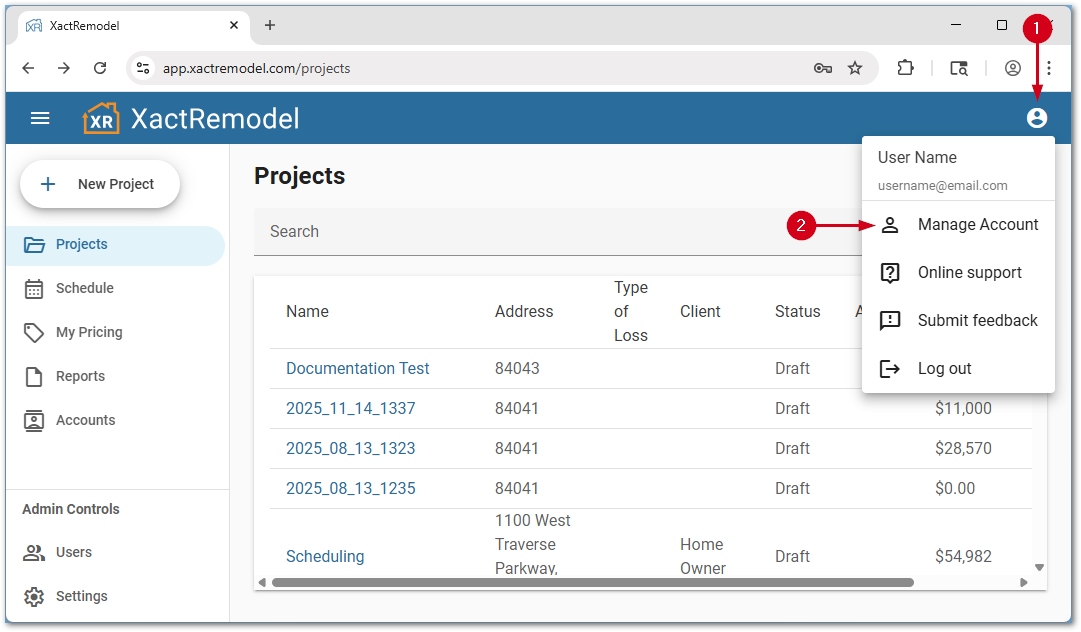
- Within XactRemodel or XactRestore, select the account icon.
- Select Manage Account.
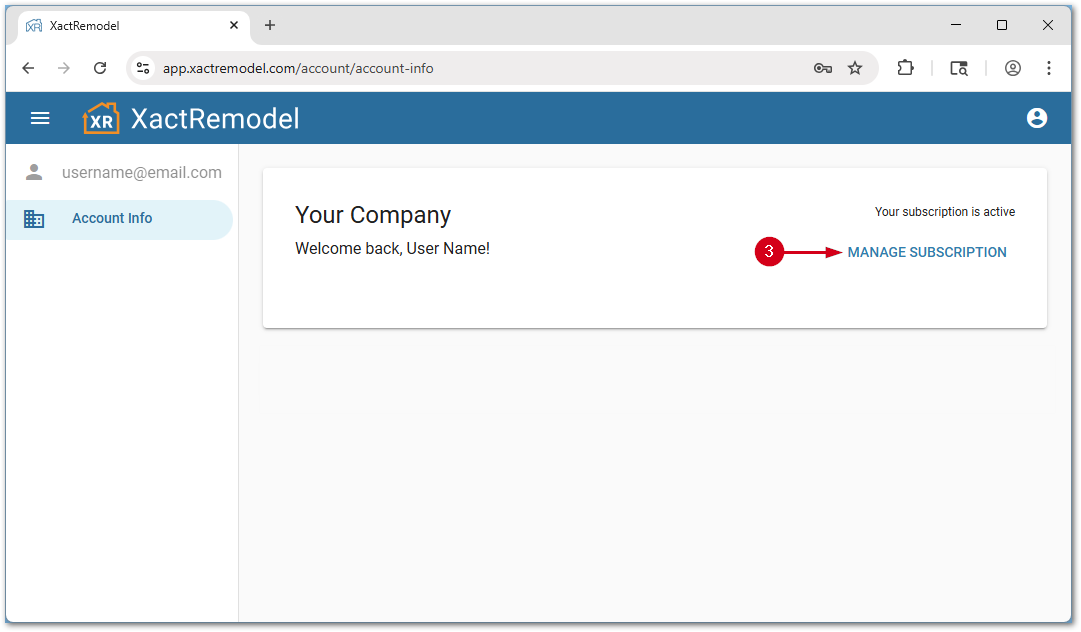
- Select Manage Subscription. The Verisk Customer Portal opens.
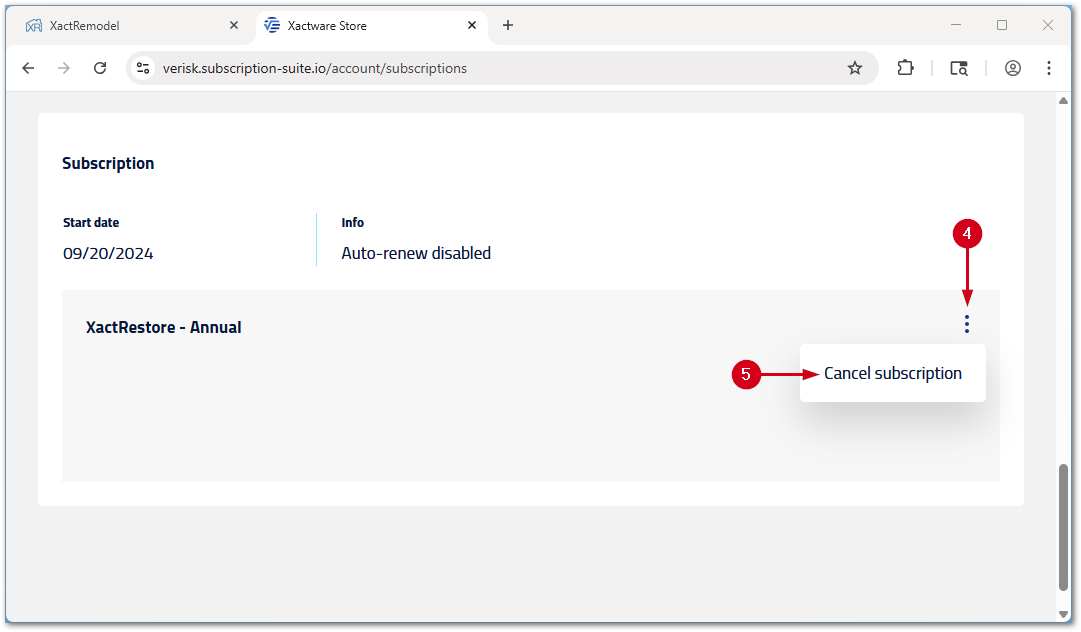
- Select the three-dot menu icon next to your subscription.
- Select Cancel subscription.
Note: Upon cancellation, you retain access until the end of your current billing period. Afterward, the subscription is deactivated.